Backup Testing and Recovery Drills for Your Homelab
There's a saying among sysadmins that never gets old because it never stops being true: you don't have backups until you've tested a restore. Every homelab operator has a backup story — usually the painful kind, where they discover that their "working" backup system has been silently producing corrupt archives for six months, or that the restore process takes three times longer than expected, or that they forgot to include the one directory that actually mattered.
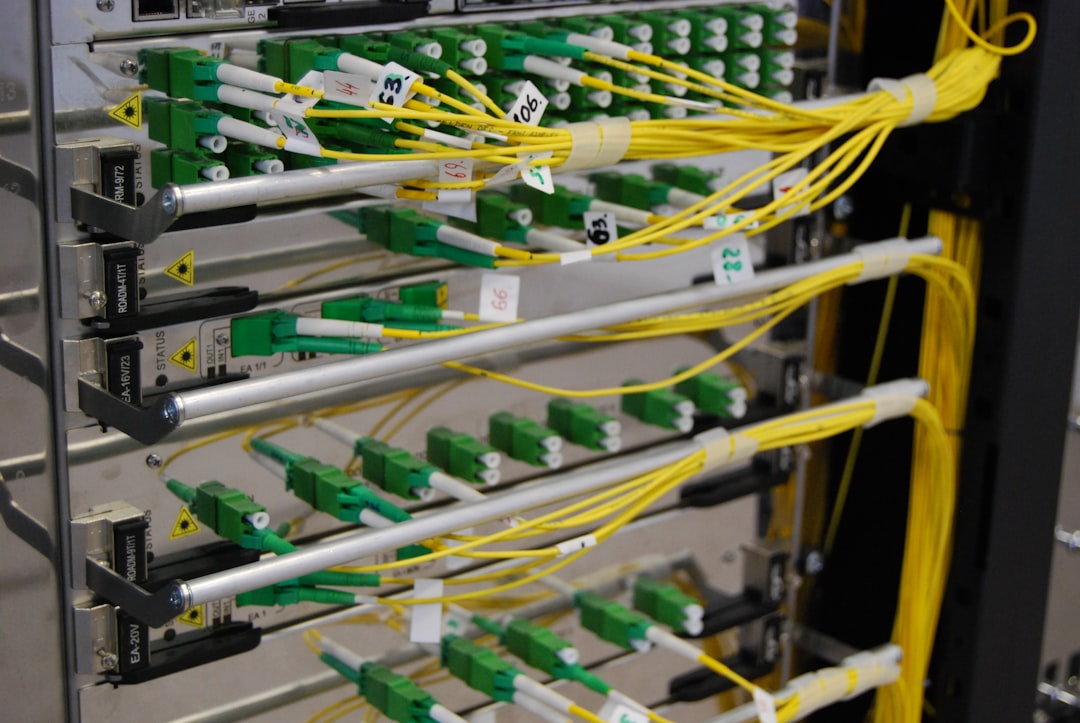
Photo by Kirill Sh on Unsplash
Running backups is step one. Testing them is step two. And step two is where most homelabs fall short.

This guide covers practical strategies for verifying your backups work, automating that verification, scheduling regular recovery drills, and documenting procedures so that when disaster strikes at 2 AM, you're not fumbling through half-remembered commands.
Why Untested Backups Are Dangerous
The failure modes for untested backups are insidious because they're silent. Your backup cron job reports success. Your monitoring dashboard shows green. Everything looks fine — until you actually need to restore, and discover one of these scenarios:
- Corrupt archives: The backup completed, but the archive is unreadable due to disk errors, interrupted writes, or software bugs.
- Missing data: You're backing up
/homebut forgot that your database writes to/var/lib/postgresql, or your Docker volumes live in a different mount point. - Encryption key loss: Your backups are encrypted (good!) but the passphrase is stored on the same machine that died (bad!).
- Version incompatibility: You've upgraded your backup tool and the new version can't read old archives.
- Incomplete procedures: You can restore individual files, but you have no idea how to rebuild a full system — what order to restore services, which configs depend on which, where the secrets live.
Each of these is preventable with regular testing. The cost of a monthly restore drill is an hour of your time. The cost of discovering your backups don't work during an actual disaster is everything.
Integrity Checks: The First Line of Defense
Before testing full restores, implement automated integrity checks that verify your backup archives aren't corrupted. This catches the most common failure mode — bit rot and truncated archives — without the overhead of a full restore.
BorgBackup Verification
Borg has built-in integrity checking that verifies both the repository structure and the archive contents:
#!/bin/bash
# borg-verify.sh — Verify borg repository and latest archive
set -euo pipefail

REPO="/mnt/nas/backups/borg-homeserver"
export BORG_PASSPHRASE="$(cat /root/.borg-passphrase)"

echo "=== Verifying repository integrity ==="
borg check --repository-only "$REPO"

echo "=== Verifying latest archive data ==="
LATEST=$(borg list --last 1 --short "$REPO")
borg check --archives-only --last 3 "$REPO"

echo "=== Archive info ==="
borg info "$REPO::$LATEST"

echo "=== Verification complete: $(date) ==="
The borg check command reads every chunk in the repository and verifies its cryptographic hash. This catches disk corruption, partial writes, and tampering. Running --archives-only --last 3 limits the deep check to recent archives to keep runtime manageable.
Restic Verification
Restic's check command offers similar functionality with a --read-data flag for thorough verification:
#!/bin/bash
# restic-verify.sh — Verify restic repository
set -euo pipefail

export RESTIC_REPOSITORY="s3:s3.amazonaws.com/my-backup-bucket"
export RESTIC_PASSWORD_FILE="/root/.restic-password"
export AWS_ACCESS_KEY_ID="$(cat /root/.aws-backup-key)"
export AWS_SECRET_ACCESS_KEY="$(cat /root/.aws-backup-secret)"

echo "=== Quick structural check ==="
restic check

echo "=== Deep data verification (sampling 10%) ==="
restic check --read-data-subset=10%

echo "=== Latest snapshot details ==="
restic snapshots --latest 1
The --read-data-subset=10% flag is a practical compromise — checking all data every time is slow for large repositories, but checking a random 10% each run means all data gets verified over about ten runs. For a weekly check, that's full coverage every two to three months.
Checksumming with SHA-256
For backup systems that don't have built-in verification (plain rsync, tar archives, database dumps), maintain your own checksum manifests:
#!/bin/bash
# checksum-verify.sh — Verify backup files against stored checksums
set -euo pipefail

BACKUP_DIR="/mnt/nas/backups/db-dumps"
CHECKSUM_FILE="${BACKUP_DIR}/checksums.sha256"

# Generate checksums for new files
cd "$BACKUP_DIR"
find . -name "*.sql.gz" -newer "$CHECKSUM_FILE" -exec sha256sum {} \; >> "$CHECKSUM_FILE"

# Verify all existing checksums
echo "=== Verifying checksums ==="
if sha256sum -c "$CHECKSUM_FILE" --quiet; then
    echo "All checksums passed: $(date)"
else
    echo "CHECKSUM FAILURE DETECTED" >&2
    sha256sum -c "$CHECKSUM_FILE" 2>&1 | grep FAILED
    exit 1
fi
Automated Restore Testing
Integrity checks verify that your backup data is readable. Restore testing goes further — it verifies that you can actually reconstruct a working system from your backups.
The Sandbox Restore Pattern
The safest approach is restoring to an isolated sandbox — a temporary directory, VM, or container that doesn't affect your production environment:
#!/bin/bash
# restore-test.sh — Automated restore test for borg backups
set -euo pipefail

REPO="/mnt/nas/backups/borg-homeserver"
RESTORE_DIR="/tmp/restore-test-$(date +%Y%m%d)"
REPORT_FILE="/var/log/backup-tests/$(date +%Y%m%d).log"
export BORG_PASSPHRASE="$(cat /root/.borg-passphrase)"

mkdir -p "$RESTORE_DIR" "$(dirname "$REPORT_FILE")"

cleanup() {
    rm -rf "$RESTORE_DIR"
}
trap cleanup EXIT

echo "=== Restore Test: $(date) ===" | tee "$REPORT_FILE"

# Get latest archive name
LATEST=$(borg list --last 1 --short "$REPO")
echo "Testing archive: $LATEST" | tee -a "$REPORT_FILE"

# Restore to sandbox
echo "Restoring to $RESTORE_DIR..." | tee -a "$REPORT_FILE"
cd "$RESTORE_DIR"
borg extract "$REPO::$LATEST"

# Validate critical files exist
echo "=== Validating restored files ===" | tee -a "$REPORT_FILE"
CRITICAL_FILES=(
    "etc/docker/compose/homelab/docker-compose.yml"
    "var/lib/postgresql/data/PG_VERSION"
    "home/hailey/.ssh/authorized_keys"
    "etc/nginx/nginx.conf"
)

FAILURES=0
for f in "${CRITICAL_FILES[@]}"; do
    if [[ -f "$RESTORE_DIR/$f" ]]; then
        echo "  OK: $f" | tee -a "$REPORT_FILE"
    else
        echo "  MISSING: $f" | tee -a "$REPORT_FILE"
        ((FAILURES++))
    fi
done

# Validate database dump can be read
if compgen -G "$RESTORE_DIR/var/backups/postgres/*.sql.gz" > /dev/null; then
    DUMP=$(ls -t "$RESTORE_DIR/var/backups/postgres/"*.sql.gz | head -1)
    if gunzip -t "$DUMP" 2>/dev/null; then
        echo "  OK: Database dump is valid gzip" | tee -a "$REPORT_FILE"
    else
        echo "  FAIL: Database dump is corrupt" | tee -a "$REPORT_FILE"
        ((FAILURES++))
    fi
fi

# Report results
echo "=== Result: $FAILURES failures ===" | tee -a "$REPORT_FILE"
exit $FAILURES
Database Restore Testing
Database backups deserve their own restore tests because a SQL dump file can exist and be non-empty while still being incomplete or corrupt:
#!/bin/bash
# db-restore-test.sh — Restore PostgreSQL dump to ephemeral container
set -euo pipefail

DUMP_FILE="/mnt/nas/backups/db-dumps/homelab-$(date +%Y%m%d).sql.gz"
CONTAINER_NAME="pg-restore-test"

# Clean up any previous test container
docker rm -f "$CONTAINER_NAME" 2>/dev/null || true

# Start ephemeral PostgreSQL container
docker run -d \
    --name "$CONTAINER_NAME" \
    -e POSTGRES_PASSWORD=testonly \
    -e POSTGRES_DB=restore_test \
    postgres:16-alpine

# Wait for PostgreSQL to be ready
echo "Waiting for PostgreSQL..."
for i in $(seq 1 30); do
    if docker exec "$CONTAINER_NAME" pg_isready -U postgres &>/dev/null; then
        break
    fi
    sleep 1
done

# Restore the dump
echo "Restoring database dump..."
gunzip -c "$DUMP_FILE" | docker exec -i "$CONTAINER_NAME" \
    psql -U postgres -d restore_test --single-transaction

# Validate critical tables exist and have data
echo "Validating restored data..."
TABLES=("users" "projects" "configurations")
for table in "${TABLES[@]}"; do
    COUNT=$(docker exec "$CONTAINER_NAME" \
        psql -U postgres -d restore_test -t -c "SELECT count(*) FROM $table;" 2>/dev/null | tr -d ' ')
    echo "  $table: $COUNT rows"
done

# Cleanup
docker rm -f "$CONTAINER_NAME"
echo "Database restore test complete."
Docker Compose Validation
If your homelab runs on Docker Compose, verify that your backed-up compose files and volumes can actually start services:
#!/bin/bash
# compose-restore-test.sh — Validate Docker Compose backup
set -euo pipefail

RESTORE_DIR="/tmp/compose-restore-test"
REPO="/mnt/nas/backups/borg-homeserver"
export BORG_PASSPHRASE="$(cat /root/.borg-passphrase)"

mkdir -p "$RESTORE_DIR"
cd "$RESTORE_DIR"

# Extract just the Docker Compose files
LATEST=$(borg list --last 1 --short "$REPO")
borg extract "$REPO::$LATEST" etc/docker/compose/homelab/

# Validate compose file syntax
echo "Validating docker-compose.yml syntax..."
docker compose -f "$RESTORE_DIR/etc/docker/compose/homelab/docker-compose.yml" config --quiet

echo "Docker Compose validation passed."
rm -rf "$RESTORE_DIR"
Want more backup guides? Get guides like this in your inbox — HomeLab Starter delivers one free deep-dive every week.
Scheduling Recovery Drills
Ad-hoc testing is better than nothing, but scheduled drills ensure consistency. Here's a tiered approach:
| Frequency | Drill Type | What It Covers | Time Required |
|---|---|---|---|
| Daily | Integrity check | borg check or restic check |
5-15 min (automated) |
| Weekly | File restore test | Extract and validate critical files | 10-30 min (automated) |
| Monthly | Service restore test | Restore and start a service from backup | 1-2 hours (semi-automated) |
| Quarterly | Full DR drill | Rebuild entire environment from scratch | 4-8 hours (manual) |
Systemd Timer for Weekly Restore Tests
# /etc/systemd/system/backup-restore-test.service
[Unit]
Description=Weekly backup restore test
After=network-online.target

[Service]
Type=oneshot
ExecStart=/usr/local/bin/restore-test.sh
User=root
StandardOutput=journal
StandardError=journal

# /etc/systemd/system/backup-restore-test.timer
[Unit]
Description=Run backup restore test weekly

[Timer]
OnCalendar=Sun 03:00
Persistent=true
RandomizedDelaySec=1800

[Install]
WantedBy=timers.target
Enable with:
sudo systemctl daemon-reload
sudo systemctl enable --now backup-restore-test.timer
Integrating with Healthchecks.io
Dead man's switch monitoring ensures you know when your tests stop running, not just when they fail:
#!/bin/bash
# Add to the end of your restore test script
HEALTHCHECK_URL="https://hc-ping.com/your-uuid-here"

if [[ $FAILURES -eq 0 ]]; then
    curl -fsS --retry 3 "$HEALTHCHECK_URL"
else
    curl -fsS --retry 3 "$HEALTHCHECK_URL/fail"
fi
Configure Healthchecks.io to alert if it doesn't receive a ping within your expected schedule (e.g., 8 days for a weekly test). This catches both test failures and the sneaky case where the test itself stops running.
Documenting Recovery Procedures
The time you need your recovery documentation is the worst time to be writing it. Document your procedures before disaster strikes, when you're calm and have access to everything.
Recovery Runbook Template
Create a runbook for each critical service. Store it outside the system it documents — in a separate git repository, a wiki, or even a printed binder.
# Recovery Runbook: [Service Name]

## Prerequisites
- Backup location: [path/URL]
- Encryption key location: [where the passphrase/key is stored]
- Required credentials: [list of API keys, passwords needed]
- Estimated recovery time: [realistic estimate]

## Step 1: Provision Base System
- OS: [version]
- Required packages: [list]
- Install command: [exact command]

## Step 2: Restore Data
- Backup tool: [borg/restic/etc]
- Restore command: [exact command with placeholders]
- Expected restore time: [estimate for current data size]

## Step 3: Restore Configuration
- Config files to restore: [list with paths]
- Environment variables: [list]
- Secrets to inject: [list with locations]

## Step 4: Start Services
- Start command: [exact command]
- Health check: [how to verify service is working]
- Expected startup time: [estimate]

## Step 5: Validate
- Check URL/port: [specific checks]
- Verify data integrity: [what to look for]
- Test critical functionality: [specific test steps]

## Known Issues
- [Any gotchas discovered during drills]
The Quarterly DR Drill
A full disaster recovery drill is the ultimate backup test. Once a quarter, pretend your primary server is gone and rebuild from scratch. Here's a checklist framework:
#!/bin/bash
# dr-drill-checklist.sh — Guided DR drill
set -euo pipefail

echo "=== QUARTERLY DR DRILL ==="
echo "Date: $(date)"
echo ""
echo "SCENARIO: Primary server is destroyed. Rebuild from backups."
echo ""

STEPS=(
    "Verify backup encryption keys are accessible (NOT on the dead server)"
    "Provision fresh VM or bare metal server"
    "Install base OS and required packages"
    "Restore borg/restic repository to new server"
    "Restore Docker Compose configuration"
    "Restore Docker volumes from backup"
    "Restore database dumps and import"
    "Restore SSL certificates or regenerate via Let's Encrypt"
    "Update DNS records if IP changed"
    "Start all services and verify health"
    "Test user-facing functionality"
    "Verify monitoring is working"
    "Document any issues encountered"
    "Update runbooks with lessons learned"
)

for i in "${!STEPS[@]}"; do
    echo "Step $((i+1)): ${STEPS[$i]}"
    read -p "  Complete? (y/n/skip): " response
    echo "  -> $response at $(date)" >> /var/log/dr-drills/$(date +%Y%m%d).log
done

echo ""
echo "DR Drill complete. Review log at /var/log/dr-drills/$(date +%Y%m%d).log"
Tools for Backup Verification
Beyond your backup tool's built-in checks, these tools help build a robust verification pipeline:
| Tool | Purpose | How It Helps |
|---|---|---|
| Healthchecks.io | Dead man's switch | Alerts when backup tests stop running |
| Uptime Kuma | Self-hosted monitoring | Track backup job status on a dashboard |
| borgmatic | Borg automation | Built-in verify, check, and hook support |
| resticprofile | Restic automation | Scheduled checks with notification hooks |
| Ntfy / Gotify | Push notifications | Send test results to your phone |
| Prometheus + node_exporter | Metrics | Track backup sizes, durations, and ages |
Monitoring Backup Freshness with Prometheus
Export backup metadata as Prometheus metrics so you can alert on stale backups:
#!/bin/bash
# backup-metrics.sh — Export backup age as Prometheus metrics
TEXTFILE_DIR="/var/lib/node_exporter/textfile_collector"
METRICS_FILE="$TEXTFILE_DIR/backup_age.prom"

# Get latest borg archive timestamp
LATEST_TS=$(borg list --last 1 --format '{time}' /mnt/nas/backups/borg-homeserver 2>/dev/null)
LATEST_EPOCH=$(date -d "$LATEST_TS" +%s 2>/dev/null || echo 0)
NOW_EPOCH=$(date +%s)
AGE_SECONDS=$((NOW_EPOCH - LATEST_EPOCH))

cat > "$METRICS_FILE" <<EOF
# HELP backup_latest_age_seconds Age of the most recent backup in seconds
# TYPE backup_latest_age_seconds gauge
backup_latest_age_seconds{host="homeserver",tool="borg"} $AGE_SECONDS
# HELP backup_latest_timestamp_seconds Unix timestamp of the most recent backup
# TYPE backup_latest_timestamp_seconds gauge
backup_latest_timestamp_seconds{host="homeserver",tool="borg"} $LATEST_EPOCH
EOF
Then in Prometheus, alert when a backup is older than 26 hours (allowing for schedule drift):
groups:
  - name: backup_alerts
    rules:
      - alert: BackupStale
        expr: backup_latest_age_seconds > 93600
        for: 1h
        labels:
          severity: critical
        annotations:
          summary: "Backup is stale on {{ $labels.host }}"
          description: "Latest {{ $labels.tool }} backup is {{ $value | humanizeDuration }} old."
Building the Habit
The hardest part of backup testing isn't the technical implementation — it's building the discipline to actually do it. Here are practical tips:
Automate everything you can. If a test can run unattended, schedule it and forget about it. Reserve your attention for the quarterly DR drills.
Start small. You don't need a full DR drill on day one. Start with
borg checkon a cron job. Add file validation next week. Build up to full restore tests.Make failures visible. A failed backup test that sends a push notification to your phone will get fixed. A failed test that writes to a log file nobody reads won't.
Keep a recovery journal. After each drill, write down what went wrong, what was confusing, and what you'd do differently. This is goldmine material for improving your runbooks.
Test your documentation, not your memory. During a DR drill, follow your runbook step by step. If you have to deviate, that's a documentation bug. Fix it.
The goal isn't perfection on day one. The goal is a system that gets more reliable over time because you keep testing it and fixing what breaks. Every drill that exposes a problem is a drill that saved you from a real disaster.
Your backups are only as good as your last successful restore test. Schedule one this week.