ECC Memory in the Homelab: When It Matters and When It Doesn't
RAM errors are rare but not impossible. A single flipped bit in a DRAM cell can cause a program crash, file corruption, or — worst case — silent data corruption that propagates through your storage without detection. ECC memory adds hardware circuitry that detects and corrects single-bit errors in real time. For homelab storage servers, it's not paranoia — it's the appropriate tool for the job.
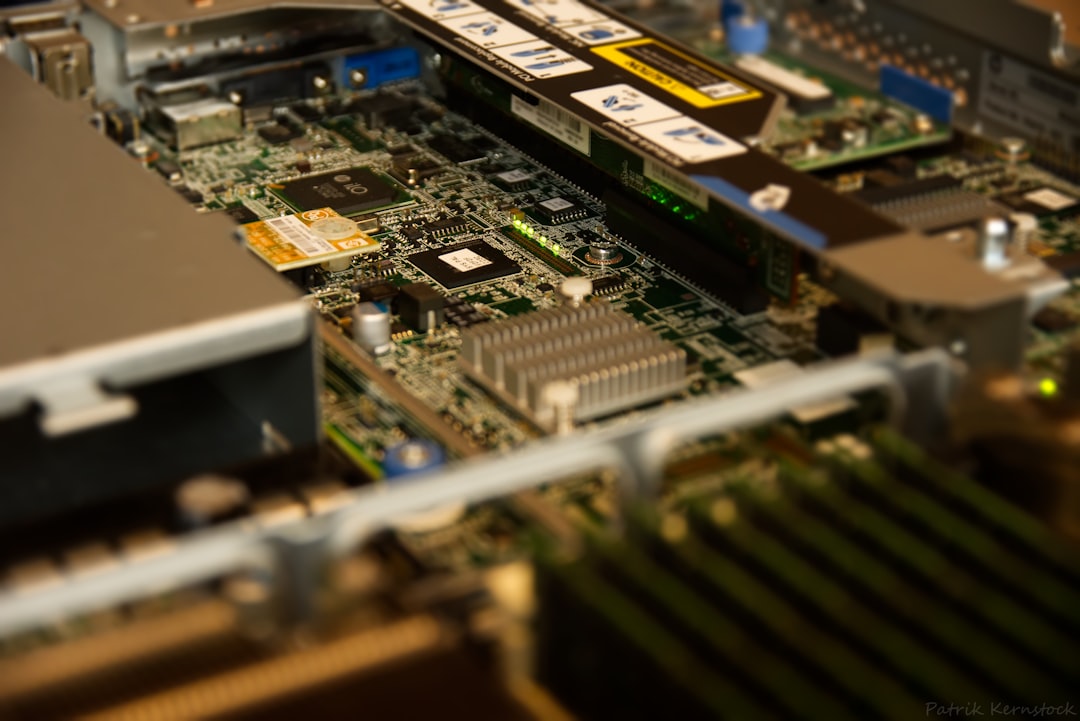
Photo by Patrik Kernstock on Unsplash
What ECC Does
DRAM stores data as electrical charges. Random events (cosmic rays, thermal noise, manufacturing defects) occasionally flip a bit. ECC adds extra bits to each memory word that store a checksum:
- Single-bit errors: Detected and automatically corrected (no crash, no data loss)
- Multi-bit errors: Detected and flagged (system can halt before writing corrupted data)
ECC correction happens transparently at the hardware level — your OS and applications are unaware. You see it only in kernel logs or monitoring.
When ECC Matters
Always recommended for:
- ZFS storage servers: ZFS checks checksums on read; if a checksum mismatch occurs, ZFS uses the checksum to detect corruption but needs a mirror/redundant copy to correct it. If the corruption came from a RAM error before write, ZFS stores bad data that checksums correctly — ECC catches this before write.
- NAS devices: A Synology or TrueNAS box storing years of irreplaceable data benefits from ECC.
- Database servers: Write-ahead logs and data pages corrupted by RAM errors are insidious.
- Any server running 24/7: Cumulative exposure to bit flip events scales with uptime.
Less critical for:
- Dev/test environments where data loss is acceptable
- Gaming or desktop PCs (errors cause crashes, not silent corruption)
- Compute nodes without persistent storage
Hardware That Supports ECC
ECC requires support from both the CPU/motherboard and the memory modules.
Intel
- Core i3/i5/i7/i9: Generally no ECC support (some exceptions in specific generations)
- Core i9 (some): Officially unsupported; some boards work with ECC but it often runs in non-ECC mode
- Xeon (E, W, SP series): Full ECC support, designed for servers
- Intel N-series (N100, N200): No ECC
AMD
- Ryzen (most generations): ECC supported on most Ryzen 5000/7000 series with compatible motherboards; verify motherboard documentation
- Ryzen Pro: ECC with official support
- EPYC: Full server-grade ECC
- Athlon: Typically no ECC
Ryzen ECC gotcha: Ryzen CPUs technically support ECC, but many consumer motherboards don't implement it properly or report errors. Use a board with explicit ECC support documentation (some Supermicro boards, ASUS Pro WS boards).
Platforms purpose-built for ECC homelabs
Intel Xeon D (SoC): Fanless or low-power server-on-chip with ECC. Popular for NAS builds.
Supermicro Mini-ITX boards: Many support Xeon or ECC Ryzen. A popular homelab NAS platform.
ASRock Rack: Boards designed for Xeon with ECC, in standard form factors.
Used server hardware (Dell PowerEdge, HP ProLiant, Supermicro): ECC standard. A used server is often the cheapest path to ECC.
Want more hardware guides? Get guides like this in your inbox — HomeLab Starter delivers one free deep-dive every week.
ECC Memory Modules
ECC modules come in RDIMM (registered) and UDIMM (unbuffered) variants:
- UDIMM ECC: Used in workstation/desktop boards with ECC support. Compatible with consumer boards that support ECC.
- RDIMM ECC: Server memory with additional hardware. Requires a board and CPU designed for RDIMM (typically server platforms).
DDR4 ECC UDIMMs: ~$30-60 for 16GB vs. ~$20-40 for non-ECC equivalents. The premium is modest.
Verifying ECC Is Active
ECC doesn't announce itself — you have to check:
# Check EDAC (Error Detection and Correction) driver
sudo modprobe edac_core
sudo modprobe i7core_edac  # Intel
# or
sudo modprobe amd64_edac_mod  # AMD

# Check if ECC is enabled
sudo dmidecode -t memory | grep -i "error correction"
# Should show: "Single-bit ECC" (not "None" or "Unknown")

# Monitor ECC errors in real time
sudo edac-util -s 0    # Show error counts
# or install mcelog:
sudo apt install mcelog
sudo mcelog --client
# Kernel messages for ECC events
dmesg | grep -i edac
dmesg | grep -i "machine check"
TrueNAS / FreeNAS
System → Advanced → Show Console Messages. TrueNAS displays ECC correction events in the console log.
ECC vs Non-ECC: Practical Impact
Annual bit error rate estimates vary widely — industry estimates range from 1 error per 4GB-256GB of memory per year, depending on DRAM quality and environment. For a server with 32GB RAM running 24/7:
- 1 error per 4GB per year → ~8 errors/year
- Each corrected silently by ECC
Without ECC, a single-bit error in a write buffer during a ZFS transaction can write corrupted data that passes checksum validation because ZFS checksums are computed after the DRAM error.
The probability is low. The consequence (silent, undetected data corruption in irreplaceable files) is severe. ECC eliminates this failure mode entirely.
Popular ECC Homelab Builds
Budget: Repurposed server (Xeon E5 v3/v4)
- Dell PowerEdge R420/R720: 2× E5-2600 v3 CPUs, 32-64GB ECC RDIMM, ~$50-150 used
- Loud, power-hungry, but maximum ECC reliability per dollar
Midrange: Supermicro Mini-ITX
- Supermicro X11SCL-F (~$150 new, Xeon E-2200 series)
- ECC UDIMM support, IPMI included, quiet builds possible
- Popular TrueNAS build platform
Efficient: Beelink EQ12 / GMKtec NucBox
- Intel N100: No ECC (not recommended for critical storage)
- Consider instead: Beelink GTR6 with Ryzen 6900HX (ECC possible with some configs)
Server workstation: Threadripper
- AMD Threadripper Pro: ECC support officially
- Overkill for most homelabs, but maximum local computing + ECC
Summary
For a homelab with important data:
- If you're building a new NAS or storage server, prioritize ECC
- Used Xeon hardware offers ECC at the lowest cost
- Supermicro boards give you ECC + IPMI on modern platforms
- Verify ECC is actually enabled — it often isn't by default even on ECC hardware
For a dev/compute box without critical storage, ECC is a nice-to-have, not a requirement. But for the server holding your photo library, family documents, or ZFS pool, ECC is the pragmatic choice.