Homelab Multi-Site Networking: Connecting Multiple Locations
Most homelab guides assume everything sits on one subnet behind one router. But once you've been at this a while, hardware tends to spread out. Maybe you have a primary lab at home and a secondary node at a friend's house for offsite redundancy. Maybe you colocate a server for public-facing services while keeping your storage at home. Maybe you moved and kept gear at both addresses. Whatever the reason, you now need two or more networks to behave like one.
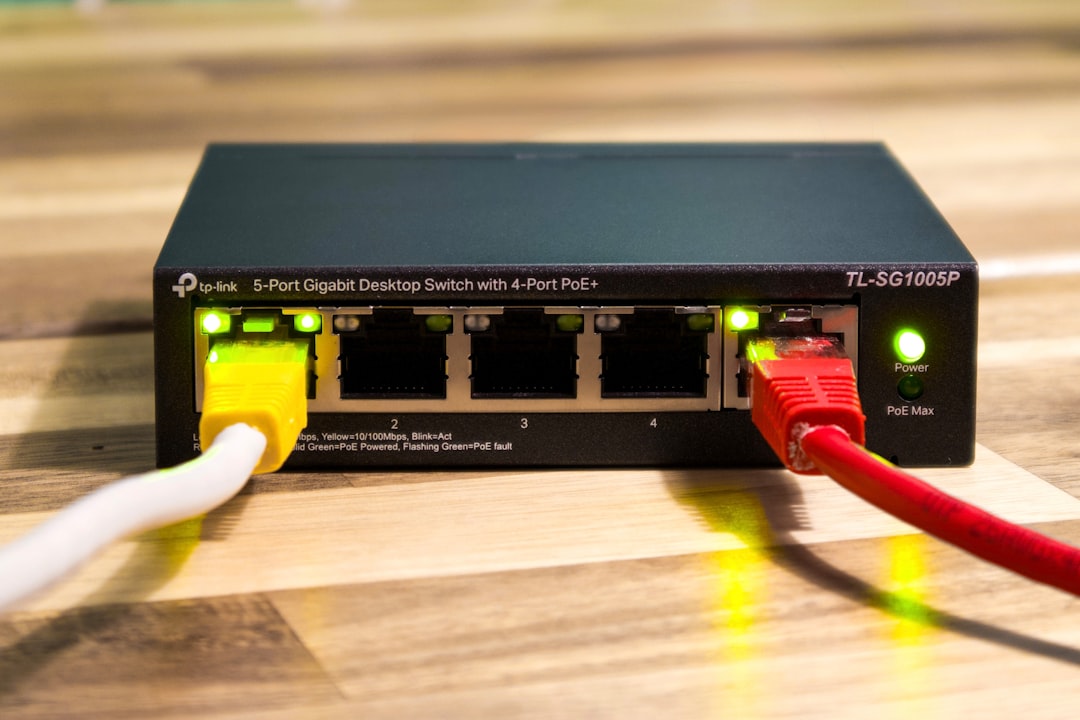
Photo by User_Pascal on Unsplash
Multi-site homelab networking is about connecting physically separate locations so services, storage, and management tools work transparently across all of them. This guide covers the practical approaches, their trade-offs, and how to build a multi-site setup that's reliable without being a maintenance nightmare.

Approaches to Multi-Site Connectivity
There are several ways to link homelab sites together. Each has different complexity, performance, and security characteristics:
| Approach | Complexity | Performance | NAT Traversal | Best For |
|---|---|---|---|---|
| WireGuard site-to-site | Low | Excellent | Manual (port forward) | Two sites with static IPs |
| Tailscale / Headscale | Very low | Good | Automatic | Any number of sites, no port forwarding |
| OpenVPN | Medium | Moderate | Manual | Legacy setups, complex auth requirements |
| IPsec (strongSwan) | High | Excellent | Varies | Enterprise-grade, hardware acceleration |
| Nebula (Slack) | Medium | Good | Automatic | Large mesh, certificate-based identity |
| ZeroTier | Very low | Good | Automatic | Quick setup, software-defined networking |
For most homelabs, the decision comes down to WireGuard (if you can port forward) or Tailscale/Headscale (if you can't or don't want to).
Architecture Decisions
Before configuring anything, settle a few architectural questions.
Hub-and-Spoke vs. Full Mesh
Hub-and-spoke: One site is the central hub. All other sites connect to it. Traffic between spoke sites routes through the hub. Simpler to configure, but the hub is a single point of failure and all cross-site traffic doubles its latency.
Full mesh: Every site connects directly to every other site. No single point of failure, optimal latency between any two sites, but the number of tunnels grows as n*(n-1)/2. Three sites need 3 tunnels. Five sites need 10. Ten sites need 45.
For two or three sites, full mesh is manageable and clearly better. Beyond four sites, consider a hub-and-spoke model or use Tailscale/Nebula, which handle mesh routing automatically.
IP Address Planning
Before connecting sites, make sure there are no subnet collisions. This is the most common mistake in multi-site networking.
Bad: Both sites use 192.168.1.0/24. You'll get routing conflicts and nothing will work correctly.
Good: Assign each site a unique subnet from your private address space:
Site A (Home):       10.1.0.0/16   (10.1.0.0 - 10.1.255.255)
Site B (Colo):       10.2.0.0/16   (10.2.0.0 - 10.2.255.255)
Site C (Cloud VPC):  10.3.0.0/16   (10.3.0.0 - 10.3.255.255)
Tunnel network:      10.255.0.0/24 (point-to-point links)
Using /16 per site gives you room for VLANs within each site (e.g., 10.1.1.0/24 for servers, 10.1.2.0/24 for IoT, 10.1.3.0/24 for management) without ever conflicting with other sites.
If you're stuck with 192.168.x.0/24 networks you can't renumber, use NAT at the tunnel boundary — but it's painful to maintain. Renumbering is almost always worth the short-term pain.
What Traffic Should Cross Sites?
Not everything needs to traverse the tunnel. Think about what actually needs cross-site access:
- Management: SSH, Proxmox web UI, monitoring dashboards — always needed
- Replication: Database replicas, ZFS send/receive, Borg/Restic to offsite — usually needed
- DNS: Local DNS resolution of remote hostnames — very useful
- Service access: Accessing Nextcloud, Gitea, media servers from any site — depends on your setup
- Bulk data: Large file transfers, VM migrations — be cautious about bandwidth
WireGuard Site-to-Site (Manual Setup)
WireGuard is the best choice when you have at least one site with a static IP or reliable dynamic DNS and can forward a UDP port. It runs in the kernel, adds minimal latency, and the configuration is short enough to audit in 30 seconds.
Two-Site Configuration
Site A (Home, 203.0.113.10):
# /etc/wireguard/wg-site.conf
[Interface]
Address = 10.255.0.1/30
PrivateKey = <Site A private key>
ListenPort = 51820
PostUp = iptables -A FORWARD -i wg-site -j ACCEPT; iptables -A FORWARD -o wg-site -j ACCEPT
PostDown = iptables -D FORWARD -i wg-site -j ACCEPT; iptables -D FORWARD -o wg-site -j ACCEPT

[Peer]
PublicKey = <Site B public key>
Endpoint = 198.51.100.20:51820
AllowedIPs = 10.2.0.0/16, 10.255.0.2/32
PersistentKeepalive = 25
Site B (Colo, 198.51.100.20):
# /etc/wireguard/wg-site.conf
[Interface]
Address = 10.255.0.2/30
PrivateKey = <Site B private key>
ListenPort = 51820
PostUp = iptables -A FORWARD -i wg-site -j ACCEPT; iptables -A FORWARD -o wg-site -j ACCEPT
PostDown = iptables -D FORWARD -i wg-site -j ACCEPT; iptables -D FORWARD -o wg-site -j ACCEPT

[Peer]
PublicKey = <Site A public key>
Endpoint = 203.0.113.10:51820
AllowedIPs = 10.1.0.0/16, 10.255.0.1/32
PersistentKeepalive = 25
Enable on both sides:
sudo systemctl enable --now wg-quick@wg-site
Routing for Other Devices
The WireGuard gateway at each site needs to route traffic for the remote subnet. Other devices on the LAN need to know where to send traffic destined for the remote site.
Option 1: Static route on your router. Tell your router that 10.2.0.0/16 is reachable via 10.1.0.1 (the WireGuard gateway's LAN IP). Most consumer routers support static routes. This is the cleanest approach.
Option 2: Default gateway. Make the WireGuard gateway your default gateway. Only practical if it's already your firewall/router (pfSense, OPNsense).
Option 3: Static routes on individual machines. Last resort, doesn't scale:
sudo ip route add 10.2.0.0/16 via 10.1.0.1
Want more networking guides? Get guides like this in your inbox — HomeLab Starter delivers one free deep-dive every week.
Tailscale / Headscale (Managed Mesh)
If you don't want to manage WireGuard configurations, port forwarding, and routing tables yourself, Tailscale builds a mesh VPN automatically. It uses WireGuard under the hood but handles key distribution, NAT traversal (via DERP relay servers when direct connections fail), and DNS.
Tailscale Subnet Routing
Install Tailscale on a machine at each site and advertise the local subnet:
# Site A gateway
curl -fsSL https://tailscale.com/install.sh | sh
sudo tailscale up --advertise-routes=10.1.0.0/16 --accept-routes

# Site B gateway
sudo tailscale up --advertise-routes=10.2.0.0/16 --accept-routes
Approve the subnet routes in the Tailscale admin console (or via headscale CLI if self-hosting). Every device on your tailnet can now reach both 10.1.0.0/16 and 10.2.0.0/16.
Headscale (Self-Hosted Control Plane)
If you don't want to depend on Tailscale's SaaS, Headscale is an open-source implementation of the Tailscale control server:
# On your control server
docker run -d \
    --name headscale \
    -p 8080:8080 \
    -v /etc/headscale:/etc/headscale \
    -v /var/lib/headscale:/var/lib/headscale \
    headscale/headscale serve

# On clients
tailscale up --login-server=https://headscale.yourdomain.com
The advantage of Headscale is full control over your coordination server. The downside is you're responsible for its uptime — if Headscale goes down, new connections can't be established (existing tunnels keep working).
DNS Across Sites
Once your network tunnels are up, you need DNS to work across sites. There are several approaches:
Split-Horizon DNS
Run a DNS server at each site that resolves local names and forwards queries for remote sites:
# Site A DNS (e.g., CoreDNS, Unbound, Pi-hole)
# Resolves *.site-a.lab locally
# Forwards *.site-b.lab to 10.2.0.1 (Site B's DNS)

# Site B DNS
# Resolves *.site-b.lab locally
# Forwards *.site-a.lab to 10.1.0.1 (Site A's DNS)
With Unbound on Site A:
# /etc/unbound/unbound.conf.d/site-b-forward.conf
forward-zone:
    name: "site-b.lab."
    forward-addr: 10.2.0.1
Tailscale MagicDNS
If you're using Tailscale, MagicDNS resolves hostnames across your tailnet automatically. Every machine gets a <hostname>.tailnet-name.ts.net DNS name. Enable it in the Tailscale admin console.
Shared DNS with Replication
For a more unified approach, use a DNS server that supports zone transfers (AXFR/IXFR) and replicate zones between sites. This ensures both sites have full DNS even if the tunnel goes down temporarily.
Latency Considerations
Cross-site latency is the biggest practical difference between a single-site and multi-site homelab. LAN latency is sub-millisecond. WireGuard over the internet adds your ISP latency — typically 10-50ms within the same metro area, 50-100ms cross-country, and 100-300ms intercontinental.
What Tolerates Latency
- Web UIs (Proxmox, Grafana, Portainer): Fine up to 200ms
- SSH: Usable up to 300ms, annoying above 150ms
- Monitoring (Prometheus scrape): No issue at any latency
- Backup replication (Restic, Borg, ZFS send): Latency affects throughput but works fine
- Git operations (push/pull): Fine up to 200ms
- DNS queries: Fine up to 100ms
What Hates Latency
- Database replication (synchronous): Every write waits for the remote ACK. Use async replication across sites.
- NFS: Extremely latency-sensitive. Each I/O operation requires a round trip. Don't mount NFS across a WAN tunnel.
- iSCSI: Same problem as NFS. Keep block storage local.
- Clustered storage (Ceph, GlusterFS): Designed for low-latency networks. Cross-site Ceph is possible with stretch clusters but not recommended for homelabs.
- Kubernetes pod-to-pod communication: Keep pods that talk to each other on the same site.
The rule of thumb: replicate data, don't mount it remotely. Push backups to the remote site. Replicate databases asynchronously. Sync files with Syncthing. Don't try to use the WAN link as a LAN extension for latency-sensitive protocols.
Measuring Latency
Monitor your inter-site latency continuously. Problems with your ISP, peering changes, or tunnel issues show up as latency spikes:
# Continuous ping across the tunnel
ping -i 5 10.2.0.1

# MTR for path analysis
mtr --report 10.2.0.1

# iperf3 for bandwidth and jitter
# Server side
iperf3 -s

# Client side
iperf3 -c 10.2.0.1 -t 30
Add inter-site latency to your Grafana dashboard. A simple Prometheus blackbox exporter probe from each site to the others gives you a clear picture of connectivity health.
Practical Multi-Site Architectures
Architecture 1: Primary + Offsite Backup
The most common multi-site homelab. One site runs everything, the other exists purely for disaster recovery.
Site A (Primary):
  - All services (Proxmox, Docker, NAS)
  - Nightly Restic backup to Site B

Site B (Backup):
  - Restic REST server (append-only)
  - Minimal monitoring (alerts if Site A goes down)
  - Cold standby VMs (can be spun up if Site A is lost)
This is simple, cheap, and solves the biggest homelab risk: losing everything in one location.
Architecture 2: Active-Active Services
Both sites run services. DNS (or a global load balancer) directs users to the closest or healthiest site.
Site A:
  - Nextcloud instance (primary)
  - PostgreSQL primary
  - Monitoring (Prometheus + Grafana)

Site B:
  - Nextcloud instance (secondary)
  - PostgreSQL streaming replica
  - Monitoring (federated Prometheus)
This requires careful attention to data consistency. PostgreSQL async replication works well for this. For Nextcloud, you'd need shared or replicated object storage — MinIO with site replication is one option.
Architecture 3: Hybrid Home + Cloud
One site is your physical homelab. The other is a cloud VPS (Hetzner, OVH, Oracle free tier) handling public-facing services.
Home:
  - Storage (NAS, media)
  - Private services (Home Assistant, cameras)
  - Monitoring

Cloud VPS:
  - Reverse proxy (public ingress)
  - Public services (personal site, Gitea, Matrix)
  - VPN endpoint for remote access
The cloud VPS acts as your public-facing edge. Tailscale or WireGuard connects it to your home network. This avoids exposing your home IP and gives you a stable public endpoint with good bandwidth.
Firewall Rules for Multi-Site
Your tunnel firewall rules should be explicit about what crosses sites. Don't just allow everything through the tunnel interface:
# Allow established/related connections
iptables -A FORWARD -i wg-site -m state --state ESTABLISHED,RELATED -j ACCEPT

# Allow specific services from remote site
iptables -A FORWARD -i wg-site -d 10.1.0.10 -p tcp --dport 22 -j ACCEPT    # SSH to management server
iptables -A FORWARD -i wg-site -d 10.1.0.20 -p tcp --dport 8006 -j ACCEPT  # Proxmox UI
iptables -A FORWARD -i wg-site -d 10.1.0.30 -p tcp --dport 8000 -j ACCEPT  # Restic REST server

# Allow ICMP (ping) for monitoring
iptables -A FORWARD -i wg-site -p icmp -j ACCEPT

# Drop everything else
iptables -A FORWARD -i wg-site -j DROP
Monitoring Multi-Site Health
You need visibility into whether sites are connected and how well the links are performing. At minimum, monitor:
- Tunnel status: Is the WireGuard handshake recent?
wg show wg-site latest-handshakes - Latency: Round-trip time between sites (Prometheus blackbox exporter)
- Bandwidth: Available throughput on the tunnel (periodic iperf3 tests)
- Backup freshness: When was the last successful backup replication?
- DNS resolution: Can each site resolve the other's hostnames?
A dedicated monitoring dashboard that shows all sites at a glance — green/red status for each link, latency graphs, and backup timestamps — makes multi-site management dramatically easier. Export inter-site metrics to your Grafana instance and set up alerts for link degradation.
Next Steps
Start with the simplest architecture that meets your needs. If you just want offsite backups, a single WireGuard tunnel to a friend's server or a cheap VPS is enough. If you need active-active services, invest time in proper IP planning, DNS, and monitoring before deploying workloads across sites. Whichever approach you choose, test failure scenarios: pull the tunnel down intentionally and verify that services degrade gracefully rather than breaking catastrophically.