Home Lab Cooling and Thermal Management
Heat kills hardware. Not dramatically — it's not going to catch fire. But sustained high temperatures degrade capacitors, shorten drive lifespans, cause memory errors, and trigger thermal throttling that tanks your performance. Every 10°C above a component's ideal operating range roughly halves its expected lifespan. That's not a scare tactic; it's basic electronics reliability engineering.
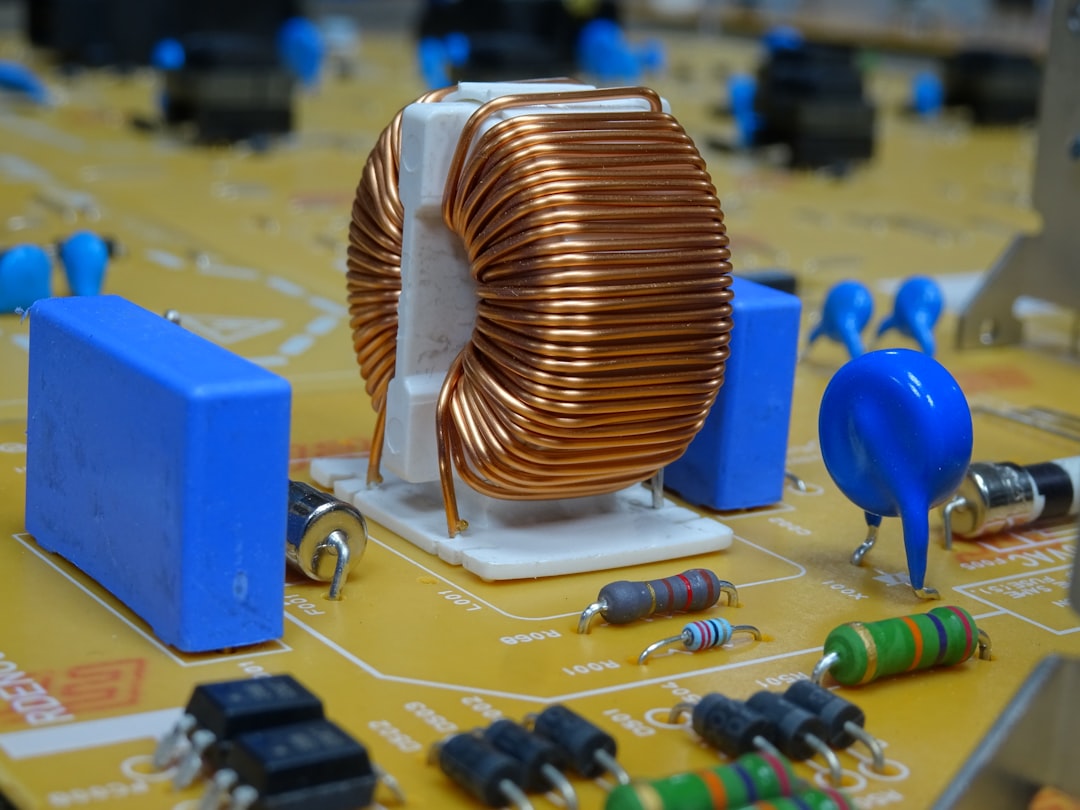
Photo by Ludovico Ceroseis on Unsplash

If you're running a single mini PC on a desk, you probably don't need to think about cooling. But the moment you put multiple machines in a rack, stick that rack in a closet, or start running CPU-intensive workloads around the clock, thermal management becomes something you either deal with deliberately or suffer from passively.
Why Cooling Matters More Than You Think
Server CPUs will thermal throttle before they die — they slow down to protect themselves. You might not even notice at first. Plex transcodes take a little longer. VMs feel slightly sluggish. Kubernetes nodes occasionally restart pods for no obvious reason. These are the subtle signs of a heat problem.
Drives are even more vulnerable. Enterprise SSDs are rated for 0-70°C, but sustained operation above 50°C measurably increases write amplification and reduces endurance. Spinning disks are worse — most are rated for 5-55°C, and every degree above 40°C increases annual failure rate. The fix isn't complicated. It's just intentional.
Measuring Your Thermals
Before you optimize anything, you need to know what you're working with. Guessing at temperatures is how you end up with six fans blowing in random directions and still overheating.
lm-sensors (Linux)
The most basic and essential tool:
sudo apt install lm-sensors    # Debian/Ubuntu
sudo dnf install lm_sensors    # Fedora
sudo sensors-detect             # Detect available sensors
sensors                         # Read current temperatures
If your idle CPU temperatures are above 50°C, you have a cooling problem. Under sustained load, anything consistently above 80°C means you need better airflow or fan speeds.
IPMI (Server Hardware)
If you're running enterprise servers with BMC/iDRAC/iLO, IPMI gives you far more detailed thermal data — ambient intake, exhaust, and individual component sensors:
sudo apt install ipmitool
sudo ipmitool sdr type temperature       # Read all temp sensors
sudo ipmitool sdr get "Inlet Temp"       # Read specific sensor

# Manual fan control (Dell iDRAC) — reduce jet-engine noise
sudo ipmitool raw 0x30 0x30 0x01 0x00    # Enable manual control
sudo ipmitool raw 0x30 0x30 0x02 0xff 0x14  # Set fans to 20%
Warning: Don't set fans below 15-20% unless you've verified your ambient temps are low and you're monitoring closely.
Drive Temperatures
Don't forget your drives — often the most temperature-sensitive components:
sudo smartctl -a /dev/sda | grep -i temp   # HDD/SSD
sudo nvme smart-log /dev/nvme0              # NVMe
Rack Airflow Design
Good airflow isn't about more fans. It's about directing air in a consistent path from cool intake to hot exhaust without recirculation.
The golden rule: front-to-back, bottom-to-top. All rackmount equipment pulls cool air from the front and pushes hot air out the back. Never mix hot and cold air streams — this is the number one airflow mistake.
Blanking panels are not optional. Every empty U in your rack is a gap where hot exhaust air recirculates back to the front. Hot air rises, finds the gap, loops back around, and your servers inhale their own exhaust. Blanking panels cost a few dollars each and I've seen 5-8°C drops just from filling gaps.
Equipment placement (bottom to top): UPS and heavy low-heat items at the bottom (benefit from cool floor air), switches and patch panels in the middle (low heat, natural spacers), servers and NAS upper-middle (highest heat, strongest airflow), exhaust fans at the top.
Want more hardware guides? Get guides like this in your inbox — HomeLab Starter delivers one free deep-dive every week.
Fan Choices
Noctua
The gold standard. Quiet, efficient, 150,000+ hour lifespan. The NF-A12x25 is arguably the best 120mm fan ever made. For rack top fans, the NF-S12A or NF-A14 (140mm) move enough air to pull heat out of a 15-22U rack. Downsides: $20-30 per fan, and the brown color scheme is... distinctive (chromax.black line fixes that).
AC Infinity
Purpose-built rack fan units (CLOUDPLATE series) with built-in temperature controllers. The CLOUDPLATE T7-N mounts at the top of your rack with 3x 120mm fans and a temperature probe you place wherever you want. Set your target temp and forget it — fans ramp automatically. This is genuinely the easiest solution for most homelabs.
Skip the $5 bulk-pack case fans. Poor bearings, loud within months, dead within a year of 24/7 operation. For something that runs all day every day, spend the money.
Quiet Cooling Strategies
Noise and cooling are always in tension. The trick is maximizing efficiency so you need less airflow:
- Larger fans at lower RPMs beat smaller fans at higher RPMs. A 140mm at 600 RPM moves more air and makes less noise than a 92mm at 1200 RPM.
- Positive pressure (more intake than exhaust) keeps dust out and creates predictable airflow paths.
- Rubber fan mounts prevent vibration transfer to the rack frame. A lot of "fan noise" is actually structural vibration.
- Custom fan curves via IPMI on enterprise servers. Dell/HP servers are absurdly aggressive with fan speeds by default — a gentle ramp based on actual temps can cut noise by 15+ dB.
Closet and Garage Builds
The closet problem: Small enclosed space, no airflow, insulated walls. A single server can raise closet ambient by 10-15°C within an hour. The only real solutions are venting to another room (cut a low intake and high exhaust vent, add an inline duct fan like the AC Infinity CLOUDLINE), leaving the door open, or not using the closet. A box fan on the floor just recirculates hot air. Opening the door "a crack" does nothing.
Garage builds have the opposite problem: temperature swings (40°C+ summers, near-freezing winters), humidity, and dust. Insulate the rack area if possible. Use a thermostat-controlled space heater if it drops below 10°C — cold is less damaging than heat, but condensation from rapid temperature changes kills electronics. Enclosed rack with filtered intake, cleaned monthly.
Temperature Monitoring with Grafana and Prometheus
Knowing your temps right now is useful. Knowing the trend over time is what saves hardware. The node_exporter for Prometheus already collects hardware sensor data:
# prometheus.yml
scrape_configs:
  - job_name: 'node'
    static_configs:
      - targets: ['server1:9100', 'server2:9100', 'nas:9100']
    scrape_interval: 30s
PromQL queries for Grafana dashboards:
# CPU package temperature
node_hwmon_temp_celsius{chip=~".*coretemp.*", sensor="temp1"}
# NVMe temperature
node_hwmon_temp_celsius{chip=~".*nvme.*"}
Set up alerting rules so you know before things go wrong:
groups:
  - name: thermal
    rules:
      - alert: HighCPUTemp
        expr: node_hwmon_temp_celsius{chip=~".*coretemp.*", sensor="temp1"} > 75
        for: 5m
        annotations:
          summary: "CPU temp above 75°C on {{ $labels.instance }}"
      - alert: CriticalCPUTemp
        expr: node_hwmon_temp_celsius{chip=~".*coretemp.*", sensor="temp1"} > 90
        for: 1m
        annotations:
          summary: "CPU temp critical on {{ $labels.instance }}"
This gives you historical data to spot trends, correlate temperature spikes with workload, and get notified before something throttles or fails.
AC and Ambient Temperature Control
If your homelab shares your living space, keep the room at 20-24°C and you're fine. For dedicated server closets, a portable AC or mini-split is the nuclear option — expensive to run but it absolutely works. Calculate roughly 3.4 BTU per watt of equipment. A 500W total load needs about 1,700 BTU of cooling, but oversize it because ambient heat matters too. A 5,000-8,000 BTU unit handles most homelab loads.
Recognizing Thermal Throttling
How to tell if heat is already causing problems:
- CPU frequency drops under load. Run
watch -n 1 "cat /proc/cpuinfo | grep MHz"— if your 3.5 GHz CPU shows 2.1 GHz under load, it's throttling. - Kernel logs mention throttling. Check
dmesg | grep -i thermalorjournalctl -k | grep -i throttle. - Performance degrades at certain times of day. Fine at night, struggling in the afternoon? That's daytime ambient temperature.
- Random VM or container crashes with no obvious software cause — memory errors from heat are real, especially with non-ECC RAM.
The fix is always the same: measure, identify the bottleneck in your airflow path, and address it. Usually it's a missing blanking panel, a blocked exhaust path, or simply too much hardware for the ventilation available.
Cooling isn't glamorous. Nobody builds a homelab because they're excited about fan curves. But getting it right means your gear runs at full speed, lasts years longer, and doesn't sound like a wind tunnel. That's worth an afternoon of planning.