Setting Up CrowdSec in Your Homelab: Community-Powered Intrusion Prevention
Fail2ban has been the go-to intrusion prevention tool for homelabs for years. It watches logs, counts failed attempts, and bans IPs. It works, but it's purely reactive — every IP has to attack your server before it gets blocked. CrowdSec takes a fundamentally different approach: it combines local log analysis with a crowdsourced threat intelligence network. When someone attacks one CrowdSec user, every CrowdSec user benefits.
Photo by Logan Voss on Unsplash
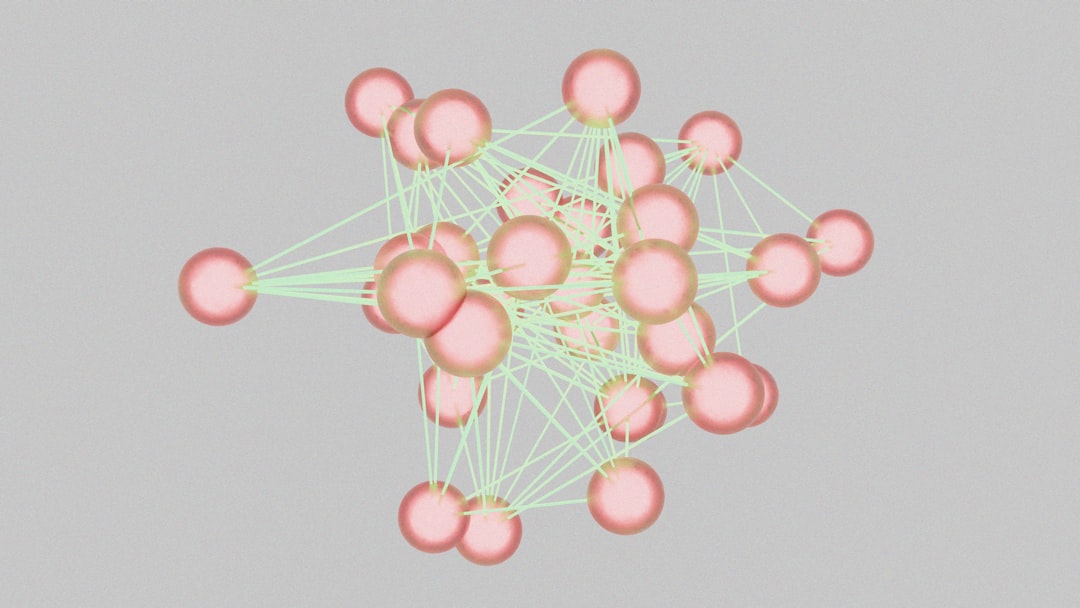
Think of it as a neighborhood watch for the internet. Your homelab reports attackers it detects (anonymized — no personal data leaves your system), and the central API shares a curated blocklist of known-bad IPs with all participants. The result: many attack IPs are blocked before they even reach your services.

This guide walks through installing CrowdSec on a homelab server, configuring it to protect your most common services, and setting up bouncers to actually enforce the bans.
Architecture Overview
CrowdSec has three components:
The Security Engine (formerly called the agent): Parses your log files, detects attack patterns using scenarios, and makes ban decisions. This runs on every machine you want to protect.
Bouncers: Enforce the decisions made by the engine. A bouncer might add a firewall rule, return a 403 in your reverse proxy, or present a CAPTCHA. Different bouncers integrate with different parts of your stack.
The Central API (CAPI): CrowdSec's cloud service that aggregates threat intelligence from all users and distributes curated blocklists. Free to use, opt-out available (but then you lose the community blocklists).
The local flow looks like this:
Logs → Security Engine → Decisions (ban/captcha)
                              ↓
                          Local API
                              ↓
                          Bouncers → Firewall / Reverse Proxy / App
Installation
CrowdSec packages are available for most Linux distributions. The recommended approach is using their package repository.
Debian/Ubuntu
# Add the CrowdSec repository
curl -s https://install.crowdsec.net | sudo bash

# Install the security engine
sudo apt install crowdsec

# Verify it's running
sudo systemctl status crowdsec
Fedora/RHEL
# Add the repository
curl -s https://install.crowdsec.net | sudo bash

# Install
sudo dnf install crowdsec

# Start and enable
sudo systemctl enable --now crowdsec
Docker
If your homelab runs on Docker, CrowdSec works well as a container:
# docker-compose.yml
services:
  crowdsec:
    image: crowdsecurity/crowdsec:latest
    container_name: crowdsec
    restart: unless-stopped
    environment:
      COLLECTIONS: "crowdsecurity/linux crowdsecurity/traefik crowdsecurity/nginx"
      GID: "${GID-1000}"
    volumes:
      - ./crowdsec-config:/etc/crowdsec
      - ./crowdsec-data:/var/lib/crowdsec/data
      # Mount log files you want CrowdSec to monitor
      - /var/log:/var/log:ro
      - /var/log/traefik:/var/log/traefik:ro
    ports:
      - "127.0.0.1:8080:8080"  # Local API (only localhost)
docker compose up -d
After installation, CrowdSec automatically detects services running on your system and installs the appropriate parsers and scenarios. Check what it found:
# See what CrowdSec auto-detected
sudo cscli collections list

# See active scenarios (attack patterns it's watching for)
sudo cscli scenarios list

# See active parsers (log format parsers)
sudo cscli parsers list
Installing Collections
CrowdSec uses "collections" — bundles of parsers, scenarios, and postoverflows for specific services. Install collections for everything you run:
# SSH brute-force detection (usually auto-installed)
sudo cscli collections install crowdsecurity/sshd

# Nginx/Traefik/Caddy
sudo cscli collections install crowdsecurity/nginx
sudo cscli collections install crowdsecurity/traefik
sudo cscli collections install crowdsecurity/caddy

# Linux base (bad user agents, port scans, etc.)
sudo cscli collections install crowdsecurity/linux

# HTTP generic attacks (SQL injection, XSS, path traversal)
sudo cscli collections install crowdsecurity/http-cve

# WordPress (if you run it)
sudo cscli collections install crowdsecurity/wordpress

# Reload after installing new collections
sudo systemctl reload crowdsec
Each collection includes scenarios that define what counts as an attack. For example, the sshd collection includes scenarios for brute-force login attempts, port scanning, and known-exploit patterns.
Want more security guides? Get guides like this in your inbox — HomeLab Starter delivers one free deep-dive every week.
Setting Up Bouncers
The security engine detects attacks, but bouncers do the actual blocking. Without a bouncer, CrowdSec is just logging threats without acting on them.
Firewall Bouncer (Recommended First Bouncer)
The firewall bouncer adds ban decisions directly to your system's firewall (nftables or iptables). It blocks attackers at the network level before they reach any service.
# Install the firewall bouncer
sudo apt install crowdsec-firewall-bouncer-nftables
# or for iptables:
# sudo apt install crowdsec-firewall-bouncer-iptables

# The bouncer registers itself automatically with the local API
# Verify it's running
sudo systemctl status crowdsec-firewall-bouncer
Check that it's connected:
# List registered bouncers
sudo cscli bouncers list

# You should see something like:
# Name                          IP Address  Valid  Last API pull
# FirewallBouncer-xxxxx        127.0.0.1   true   2026-02-14T10:30:00Z
Traefik Bouncer
If Traefik is your reverse proxy, the Traefik bouncer can block requests at the proxy level and optionally serve CAPTCHAs instead of hard bans:
# Install the bouncer
sudo apt install crowdsec-traefik-bouncer

# Or use Docker
docker run -d \
  --name traefik-bouncer \
  --network traefik_network \
  -e CROWDSEC_BOUNCER_API_KEY=your-api-key \
  -e CROWDSEC_AGENT_HOST=crowdsec:8080 \
  fbonalair/traefik-crowdsec-bouncer
Generate an API key for the bouncer:
sudo cscli bouncers add traefik-bouncer
# This outputs an API key — save it
Add the bouncer as Traefik middleware:
# traefik dynamic config
http:
  middlewares:
    crowdsec:
      plugin:
        bouncer:
          enabled: true
          crowdsecLapiKey: "your-api-key-here"
          crowdsecLapiHost: "http://crowdsec:8080"

  routers:
    my-service:
      rule: "Host(`myapp.homelab.local`)"
      middlewares:
        - crowdsec
      service: my-service
Nginx Bouncer
For Nginx, CrowdSec provides a Lua-based bouncer that integrates directly:
# Install
sudo apt install crowdsec-nginx-bouncer

# Generate API key
sudo cscli bouncers add nginx-bouncer

# Configure
sudo vim /etc/crowdsec/bouncers/crowdsec-nginx-bouncer.conf
# /etc/crowdsec/bouncers/crowdsec-nginx-bouncer.conf
API_URL=http://127.0.0.1:8080
API_KEY=your-api-key-here
BAN_TEMPLATE_PATH=/var/lib/crowdsec/lua/templates/ban.html
CAPTCHA_TEMPLATE_PATH=/var/lib/crowdsec/lua/templates/captcha.html
# Restart Nginx to load the bouncer
sudo systemctl restart nginx
Monitoring and Management
CrowdSec provides excellent CLI tools for monitoring what's happening:
# See current active decisions (bans)
sudo cscli decisions list

# Example output:
# ID | Source | Scope | Value          | Reason                    | Action | Duration
# 42 | cscli  | Ip    | 192.168.1.100 | crowdsecurity/ssh-bf      | ban    | 3h58m
# 43 | CAPI   | Ip    | 45.33.xx.xx   | crowdsecurity/ssh-slow-bf | ban    | 167h

# See alerts (detected attacks)
sudo cscli alerts list

# Check metrics (what's being parsed, what's triggering)
sudo cscli metrics

# See the community blocklist in action
sudo cscli decisions list --origin CAPI | head -20
The cscli metrics output is particularly useful — it shows you how many log lines are being parsed per second, which scenarios are triggering, and how many decisions are active.
Custom Scenarios
CrowdSec's built-in scenarios cover most common attacks, but you can write custom ones for homelab-specific patterns. Scenarios are YAML files that define what pattern to look for and what action to take.
Example: ban IPs that repeatedly scan for common admin paths on your services:
# /etc/crowdsec/scenarios/homelab-admin-scan.yaml
type: leaky
name: homelab/admin-path-scan
description: "Detect admin path scanning"
filter: "evt.Meta.http_path in ['/wp-admin', '/wp-login.php', '/phpmyadmin', '/admin', '/.env', '/config.php', '/xmlrpc.php']"
groupby: "evt.Meta.source_ip"
capacity: 5
leakspeed: "30s"
blackhole: "5m"
labels:
  type: scan
  remediation: true
# Install your custom scenario
sudo cp homelab-admin-scan.yaml /etc/crowdsec/scenarios/
sudo systemctl reload crowdsec
This scenario uses a "leaky bucket" — it allows 5 hits to admin paths within a 30-second window before triggering. This avoids false positives from legitimate users who might hit one of these paths once.
The CrowdSec Console
CrowdSec offers a free web console at app.crowdsec.net that gives you a dashboard view of your security posture. To connect your homelab:
# Enroll your instance
sudo cscli console enroll your-enrollment-key
The console shows you:
- Which IPs are attacking your infrastructure
- What scenarios are triggering most frequently
- Your community blocklist coverage
- Alerts and decisions history
It's optional but useful for getting a high-level view, especially if you're protecting multiple homelab machines.
CrowdSec vs Fail2ban
| Feature | CrowdSec | Fail2ban |
|---|---|---|
| Threat intelligence | Community blocklists (proactive) | None (purely reactive) |
| Configuration language | YAML scenarios | Regex filters |
| Resource usage | ~100 MB RAM | ~30 MB RAM |
| Bouncer options | Firewall, reverse proxy, CAPTCHA | Firewall only |
| Multi-machine | Built-in (local API) | Manual configuration |
| IPv6 support | Full | Partial |
| Log parsing | Grok patterns (flexible) | Regex (fragile) |
| Dashboard | Free web console | None (CLI only) |
| Community ecosystem | Growing hub with 200+ scenarios | Mature, stable |
CrowdSec uses more resources than Fail2ban, but 100 MB of RAM is negligible on any modern homelab server. The community blocklist alone makes it worth the switch — you're blocking known-bad IPs before they even try to attack you.
Practical Tips
Start with the firewall bouncer. It's the simplest and most effective. Block attackers at the network level and add reverse proxy bouncers later if you want CAPTCHA support.
Don't whitelist your LAN too broadly. Whitelist specific management IPs, not your entire subnet. If a device on your network gets compromised, you want CrowdSec to detect lateral movement.
# Whitelist your specific management IP
sudo cscli decisions delete --ip 192.168.1.10
# Or add a permanent whitelist
sudo cscli parsers install crowdsecurity/whitelists
# Edit /etc/crowdsec/parsers/s02-enrich/whitelists.yaml
Review decisions regularly. Check cscli decisions list weekly to understand what's hitting your infrastructure. You might discover services you forgot were exposed, or IP ranges you should block proactively.
Monitor log ingestion. If CrowdSec stops parsing logs (service restart, log path change), it silently stops protecting you. Check cscli metrics periodically to confirm logs are flowing.
Keep collections updated. CrowdSec scenarios improve over time. Run updates monthly:
sudo cscli hub update
sudo cscli hub upgrade
sudo systemctl reload crowdsec
CrowdSec turns your homelab into part of a collective defense network. The more homelabs participate, the better the community blocklists get, and the fewer attacks reach any individual server. It's the kind of tool that makes you wonder why Fail2ban ever worked the way it did — isolated, reactive, and alone. Security is better as a team sport.