Software Defined Radio for Your Homelab: RTL-SDR and SDR++
Software Defined Radio (SDR) is one of the most interesting rabbit holes in the homelab world. With a $25–30 USB dongle and free software, you can receive signals across a huge frequency range: FM radio, aircraft transponders, weather satellite images, ship GPS beacons, local weather stations, and more.
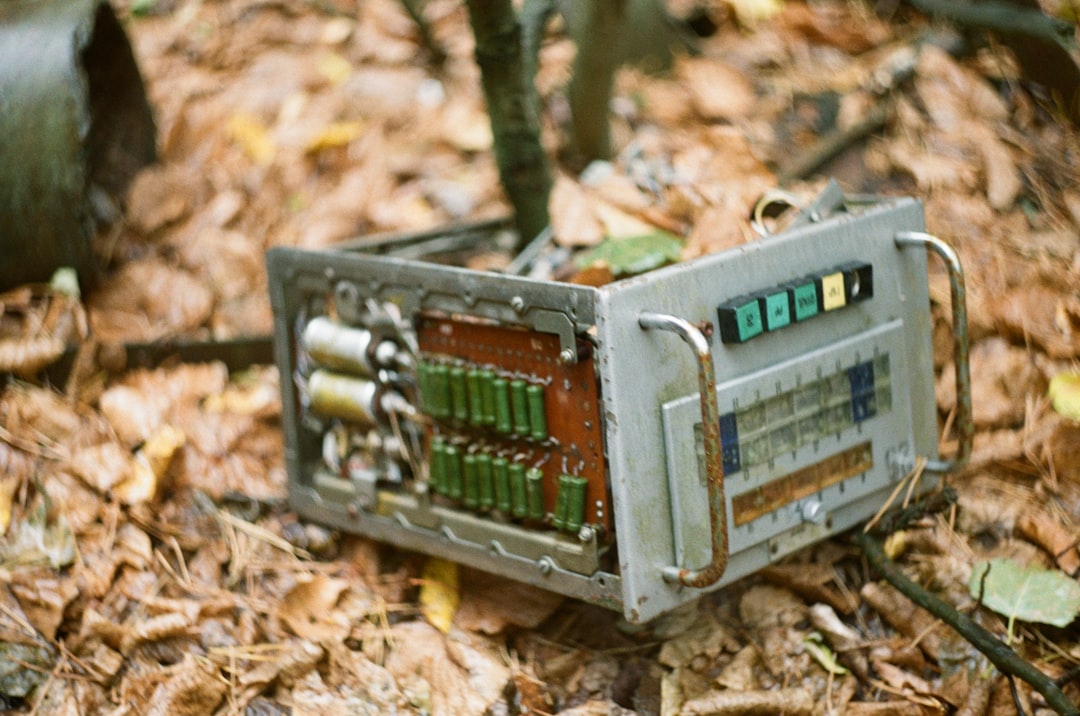
Photo by Dasha Urvachova on Unsplash
The barrier to entry is low. The RTL-SDR Blog V4 dongle — the current standard for getting started — costs around $30 shipped. The software (SDR++, GNU Radio, Dump1090) is free and runs on Linux, macOS, and Windows.
What You Can Do with SDR
ADS-B aircraft tracking: Aircraft broadcast their position, altitude, speed, and callsign on 1090 MHz. Capture this with dump1090 and feed it to FlightAware or run your own map at http://localhost:8080. On a clear day from a good location, you'll see 50–200 aircraft at once.
FM radio: Receive commercial FM broadcasts with much better quality than a cheap radio, plus the ability to record and analyze the RF signal.
NOAA weather satellites: The NOAA-15, 18, and 19 satellites transmit Automatic Picture Transmission (APT) signals at 137 MHz. With the right antenna and software, you can decode weather images as the satellite passes overhead — actual images from space, received on your own hardware.
APRS: Amateur radio position reporting. Track balloon flights, emergency vehicles, and amateur radio operators in your area.
Trunked radio scanners: Listen to local emergency services communications (where legal in your jurisdiction).
Weather stations: Many home weather stations broadcast their data on ISM band frequencies. Capture them with rtl_433 — a tool that decodes 433/868/915 MHz sensors.
Ship AIS tracking: Maritime vessels broadcast AIS position data on 162 MHz. Similar to ADS-B but for ships.
Hardware
The Dongle
The RTL-SDR Blog V4 is the current recommended starting point. It's based on the RTL2832U chip with a Rafael Micro R828D tuner, but with improvements over cheap alternatives: better shielding, temperature-compensated oscillator, and bias-tee support for powering active antennas.
Alternative: The Airspy Mini ($99) has better dynamic range and sensitivity for more demanding applications.
Antennas
The antenna matters more than the dongle. The RTL-SDR Blog V4 comes with a basic dipole kit — it works but is mediocre for serious use.
| Use case | Antenna | Notes |
|---|---|---|
| General scanning | Dipole (included) | Adjust length for target frequency |
| FM radio | 1/4 wave whip | ~75cm for 100 MHz |
| ADS-B (1090 MHz) | 1090 MHz cantenna or Spider | ~6.9cm elements |
| Weather sat (137 MHz) | Turnstile or QFH | Circularly polarized for moving satellites |
| 433 MHz sensors | 1/4 wave whip | ~17.3cm |
For ADS-B, a FlightAware Pro Stick Plus ($20) has a built-in bandpass filter that dramatically improves aircraft reception near airports. The built-in filter reduces interference from FM broadcast stations.
Raspberry Pi Integration
An RTL-SDR dongle works well on a Raspberry Pi. Power draw is modest (~500mA with the dongle), and you can run ADS-B feeders 24/7 for a few dollars a year in electricity.
Software: SDR++
SDR++ is the modern GUI application for SDR. It replaced the older SDRSharp (Windows-only) and GQRX as the cross-platform standard:
- Runs on Linux, macOS, Windows
- Supports RTL-SDR, Airspy, HackRF, LimeSDR, and many others
- Plugin system for demodulators (FM, AM, SSB, WBFM, NOAA APT, etc.)
- Low CPU usage with efficient rendering
# Install on Ubuntu/Debian
sudo apt install sdr++

# Or from source
git clone https://github.com/AlexandreRouma/SDRPlusPlus
cd SDRPlusPlus && mkdir build && cd build
cmake ..
make -j4
Start SDR++, select "RTL-SDR Source" from the device selector, and set the sample rate to 2.4 MSPS. The waterfall display shows the RF spectrum — scroll to 100 MHz and you'll see your local FM stations as bright columns.
Want more networking guides? Get guides like this in your inbox — HomeLab Starter delivers one free deep-dive every week.
ADS-B Aircraft Tracking: Step-by-Step
ADS-B is the most immediately impressive SDR application. Here's how to set it up on a Raspberry Pi:
# Install dump1090-fa (FlightAware's optimized version)
sudo apt install dump1090-fa

# It starts automatically and listens on port 8080
# Browse to http://raspberry-pi-ip:8080 for a live aircraft map
For the best results:
- Mount the antenna as high as possible (outside or at a window)
- Use a 1090 MHz filtered antenna or add a FlightAware filter inline
- Run
dump1090as a systemd service for 24/7 operation
Feed to FlightAware: Create a FlightAware account, install piaware, and you'll receive a free FlightAware Enterprise subscription ($100/year value) for contributing data:
wget https://flightaware.com/uat/piaware/files/piaware_4.0_armhf.deb
dpkg -i piaware_4.0_armhf.deb
piaware-config feeder-id your-feeder-id
systemctl start piaware
NOAA Weather Satellite Images
Receiving actual weather satellite images is one of the more impressive SDR projects. The satellites pass overhead every ~100 minutes, broadcasting live Earth images at 137 MHz.
# Install WXtoImg (trial version) or the open-source noaa-apt
# noaa-apt is recommended: https://noaa-apt.mbernardi.com.ar/

# Record a satellite pass
rtl_fm -f 137.9125M -s 60k -g 45 -F 9 - | \
  sox -t raw -r 60k -e signed -b 16 - noaa15.wav trim 0 900

# Then decode the .wav to an image with noaa-apt
noaa-apt noaa15.wav -o weather-image.png
You'll need to know when the satellites pass over your location. Use tools like gpredict or online pass predictors (heavens-above.com). Good passes (elevation >30°) give you clear images; low passes produce partial images.
RTL_433: Home Weather Stations and IoT Sensors
rtl_433 decodes hundreds of ISM-band devices: thermometers, rain gauges, soil sensors, tire pressure sensors, doorbell receivers, and more. If you have an Oregon Scientific weather station or similar, run:
sudo apt install rtl-433
rtl_433 -f 433.92M -A
It'll decode anything it sees and print JSON output. Pipe this into Influx/Grafana for local weather dashboards, or into Home Assistant for automations triggered by outdoor temperature.
Docker Deployment for Always-On ADS-B
For a persistent setup, Docker makes it easy to run multiple SDR services:
# docker-compose.yml for ADS-B + graph tracking
services:
  dump1090:
    image: mikenye/readsb-protobuf:latest
    devices:
      - /dev/bus/usb:/dev/bus/usb
    ports:
      - "8080:8080"
      - "30005:30005"
    environment:
      READSB_NET_ENABLE: "true"
      READSB_GAIN: "autogain"
    restart: unless-stopped

  piaware:
    image: mikenye/piaware:latest
    depends_on:
      - dump1090
    environment:
      FEEDER_AERIAL_LATITUDE: "47.6"
      FEEDER_AERIAL_LONGITUDE: "-122.3"
      FLIGHTAWARE_FEEDER_ID: "your-id"
    restart: unless-stopped
Getting Started: The $30 Setup
- Order: RTL-SDR Blog V4 dongle with the included dipole antenna kit ($30)
- Install SDR++ on your laptop or desktop
- Start with FM radio to confirm everything works
- Move to ADS-B: Swap to the included monopole antenna, tune to 1090 MHz, install dump1090
- Explore from there: Try rtl_433 for local sensors, then chase a NOAA pass
The learning curve is moderate — SDR concepts (sample rates, IQ data, frequency vs bandwidth) take some reading. The reward is seeing your local airspace in real-time from a $30 dongle.
Resources
- RTL-SDR Blog (rtl-sdr.com): Beginner guides, tutorials, antenna builds, and the authoritative hardware reviews
- SDR++ GitHub: The GUI application, actively maintained
- OpenWebRX: Web-based SDR receiver you can share over the network
- Reddit r/RTLSDR: Active community for questions and project sharing