ESPHome: Build Custom Smart Home Sensors with $5 Microcontrollers
Commercial smart home sensors cost $15-30 each. An ESP8266 microcontroller costs $3, and ESPHome turns it into a fully customizable sensor that integrates directly with Home Assistant — no cloud accounts, no proprietary apps, no subscription fees.
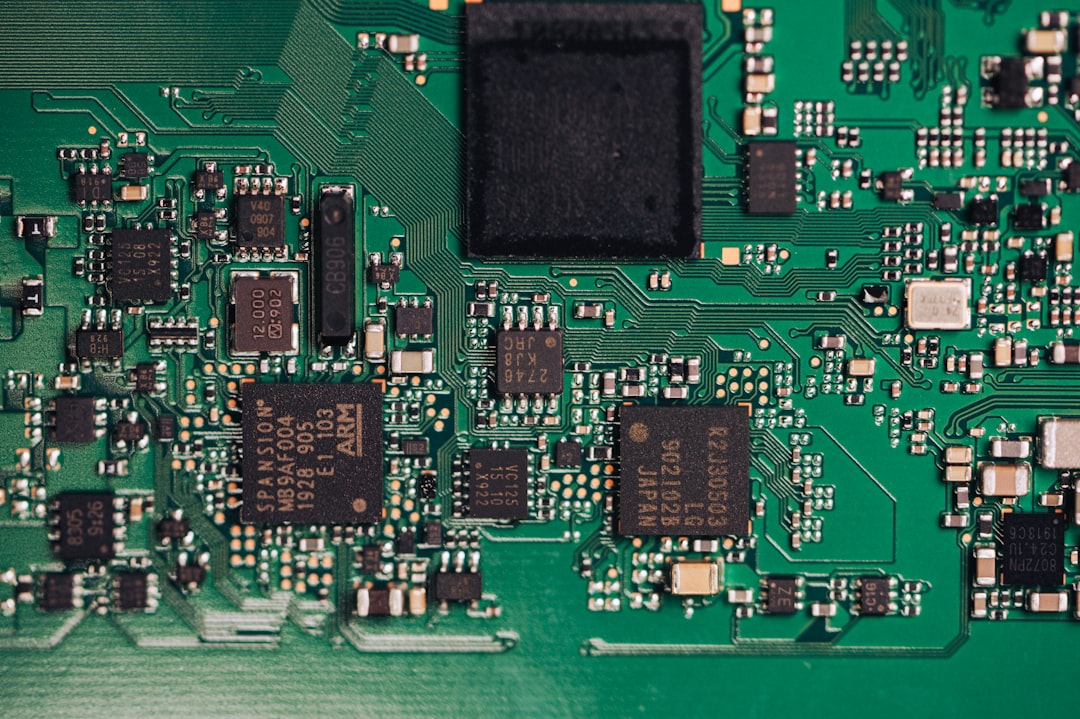
Photo by Albert Stoynov on Unsplash
ESPHome is a firmware framework that compiles from YAML configuration. You describe what sensors you're connecting and what you want them to do, and ESPHome handles the rest: WiFi connection, Home Assistant API, OTA updates, and device discovery.
Hardware You'll Need
Microcontrollers:
- Wemos D1 Mini (~$3) — ESP8266-based, tiny form factor, great for basic sensors
- ESP32 Dev Board (~$5) — More powerful, Bluetooth support, more GPIO pins
- NodeMCU (~$4) — ESP8266-based, breadboard-friendly
For most sensor projects, the D1 Mini or a generic ESP32 is ideal. Check AliExpress for the cheapest prices — they're a fraction of the Amazon price.
Sensors (examples):
- DHT22 or BME280 — temperature + humidity, ~$3
- PIR motion sensor (HC-SR501) — ~$1
- BH1750 — light level, ~$1
- HC-SR04 — ultrasonic distance, ~$2
- Door/window reed switch — ~$1
Installing ESPHome
On your home server or any Linux/Mac machine:
pip install esphome
# or via Docker:
docker run --rm -v "${PWD}":/config esphome/esphome run my-device.yaml
Or install the ESPHome add-on in Home Assistant (Settings → Add-ons → ESPHome Dashboard).
Your First Configuration
Create temperature-sensor.yaml:
esphome:
  name: bedroom-temperature
  friendly_name: Bedroom Temperature

esp8266:
  board: d1_mini

# WiFi credentials (use secrets.yaml for production)
wifi:
  ssid: "Your WiFi Name"
  password: "your-wifi-password"
  ap:
    ssid: "Bedroom Fallback"
    password: "fallback-password"

# Enable Home Assistant API
api:
  encryption:
    key: "your-32-char-key"  # generate with: esphome generate-key

# Allow OTA updates
ota:
  - platform: esphome
    password: "your-ota-password"

# DHT22 temperature + humidity sensor
sensor:
  - platform: dht
    pin: D4
    temperature:
      name: "Bedroom Temperature"
    humidity:
      name: "Bedroom Humidity"
    update_interval: 60s
    model: DHT22
Flash it to the device:
esphome run temperature-sensor.yaml
On first run, this opens a serial connection (USB cable required). After initial flash, all subsequent updates can be done over WiFi (OTA).
Secrets Management
Don't hardcode WiFi passwords. Use secrets.yaml:
# secrets.yaml (same directory as your configs, not committed to git)
wifi_ssid: "My Network"
wifi_password: "my-password"
api_key: "base64-encoded-32-byte-key"
ota_password: "ota-secret"
Reference in your config:
wifi:
  ssid: !secret wifi_ssid
  password: !secret wifi_password
Common Sensor Examples
Occupancy sensor (PIR)
binary_sensor:
  - platform: gpio
    pin: D5
    name: "Living Room Motion"
    device_class: motion
    filters:
      - delayed_off: 30s  # stay "on" for 30s after motion stops
Door/window sensor
binary_sensor:
  - platform: gpio
    pin:
      number: D6
      mode:
        input: true
        pullup: true
    name: "Front Door"
    device_class: door
    inverted: true
Light level sensor (BH1750)
i2c:
  sda: D2
  scl: D1

sensor:
  - platform: bh1750
    name: "Living Room Illuminance"
    address: 0x23
    update_interval: 10s
Controlling an LED or relay
switch:
  - platform: gpio
    pin: D7
    name: "Bedroom Light"
    id: bedroom_light

light:
  - platform: binary
    name: "Bedroom Light"
    output: bedroom_light
Home Assistant Integration
Once your ESPHome device is on the network, Home Assistant auto-discovers it via mDNS (if you have the ESPHome integration installed). Accept the integration and the device appears with all its sensors and controls.
From Home Assistant, you can:
- View sensor history and graphs
- Create automations ("if motion detected in living room and it's after sunset, turn on lights")
- Use in scenes
- Get alerts via notification services
Reading Multiple Sensors from One Board
A single D1 Mini can run multiple sensors simultaneously:
sensor:
  # Temperature + humidity
  - platform: bme280_i2c
    temperature:
      name: "Temperature"
    humidity:
      name: "Humidity"
    pressure:
      name: "Pressure"
    address: 0x76
    update_interval: 30s

  # CO2 level
  - platform: scd4x
    co2:
      name: "CO2"
    temperature:
      name: "SCD40 Temperature"
    humidity:
      name: "SCD40 Humidity"

binary_sensor:
  # PIR motion
  - platform: gpio
    pin: D5
    name: "Motion"
    device_class: motion
BME280 + SCD41 gives you temperature, humidity, pressure, and CO2 — all from one $10 board and two I2C sensors. That's a better sensor package than commercial air quality monitors at 5× the price.
OTA Updates
After the initial USB flash, you can update all your ESPHome devices over WiFi:
esphome run bedroom-temperature.yaml --device 192.168.1.100
# or by hostname:
esphome run bedroom-temperature.yaml --device bedroom-temperature.local
If you use the ESPHome Dashboard in Home Assistant, you can update devices through the UI.
Practical Build Tips
Enclosures: 3D printed cases from Printables/Thingiverse, or small project boxes from Amazon. A DHT22 in a small wall-mount box looks completely finished.
Power: Most builds use a USB phone charger. For permanent installations, embed a 5V USB power supply in the wall or use a PoE splitter.
GPIO limitations on ESP8266: The D1 Mini has 11 usable GPIO pins, but some have restrictions at boot (pulling D3/D4 low prevents boot). For projects needing many GPIO pins, use an ESP32 instead.
Stable builds: Pin your ESPHome version in the config to avoid unexpected breakage from updates:
esphome:
  name: my-sensor
  platformio_options:
    platform: [email protected]