Home Lab Cable Management: A Practical Guide to Taming the Mess
Every home lab starts tidy and ends up looking like a bowl of spaghetti. The difference between a lab that's pleasant to work in and one that gives you anxiety every time you need to swap a cable comes down to a few deliberate choices made early on. Good cable management isn't about making your rack look Instagram-worthy — it's about being able to trace a cable, swap a device, and troubleshoot a network issue without wanting to start over.
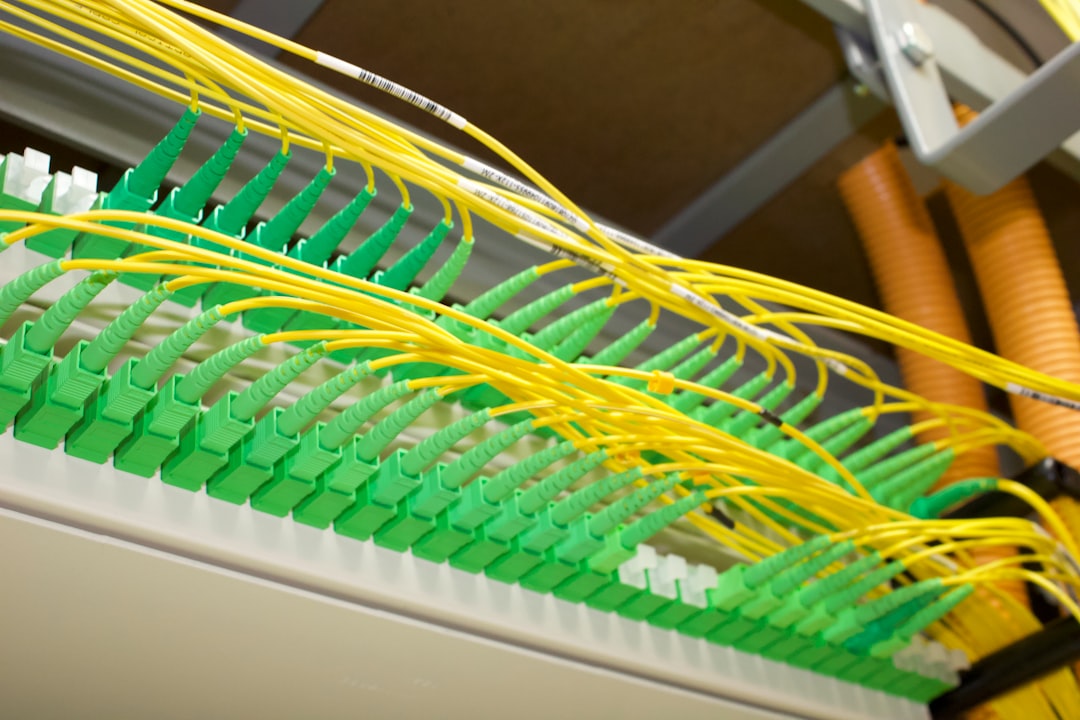
Photo by Ronald Crow on Unsplash

The Foundation: Rack Layout
Cable management starts before you plug in a single cable. How you arrange equipment in your rack determines how clean your cabling can be.
General rack layout rules:
- Network gear at the top — Patch panels and switches go in the top 2-4U. Since most cables run up to the switch, this keeps cable runs short
- Compute in the middle — Servers, NAS units, and other devices that connect to both network and power
- Power at the bottom — UPS and PDU at the bottom, since they're heavy and provide stability
- Cable managers between sections — 1U horizontal cable managers between your network section and compute section
This layout means cables flow naturally: short patch cables up to the switch, power cables down to the PDU. No cable needs to cross the entire rack.
Patch Panels: The Single Best Investment
If you do only one thing for cable management, install a patch panel. A 24-port Cat6 keystone patch panel costs $15-25 and transforms your cabling from chaos to order.
Why patch panels matter:
- Every cable from outside the rack terminates at the patch panel
- Short (6-12 inch) patch cables connect the patch panel to your switch
- When you need to change what's connected where, you swap a short patch cable instead of running a new long cable
- Labels on the patch panel tell you exactly where each cable goes
Setting up a patch panel:
Wall jack → Long cable → Patch panel port → Short patch cable → Switch port
Punch down your long runs on the back of the patch panel using a keystone punch-down tool ($8-15). Label each port with the room or device it connects to. Use a label maker — handwritten labels become illegible within months.
Cable Types and Lengths
The most common cable management mistake is using cables that are too long. A 7-foot patch cable between a switch and patch panel that are 1U apart creates 6 feet of excess cable stuffed somewhere.
Stock these lengths:
| Use Case | Recommended Length |
|---|---|
| Patch panel to switch (same rack) | 6 inches to 1 foot |
| Server to switch (same rack) | 1-3 feet |
| Rack to wall jack | Measure + 1 foot |
| Between rooms | Custom-terminated to length |
Color coding is optional but helpful:
- Blue: General LAN
- Green: Management/IPMI network
- Yellow: IoT/VLAN
- Red: WAN/untrusted
- White: Cameras/security
Buy in bulk — a box of 50 one-foot Cat6 patch cables costs less than buying them individually.
Want more hardware guides? Get guides like this in your inbox — HomeLab Starter delivers one free deep-dive every week.
Velcro vs Zip Ties
Use Velcro. Always Velcro. Never zip ties on network cables.
Zip ties seem neater, but they create two problems: they can damage cables when pulled too tight (especially with Cat6a and fiber), and they're permanent — you need to cut them every time you need to add or remove a cable, which you'll do constantly in a home lab.
Velcro cable ties ($8 for 100) are reusable, gentle on cables, and let you add or remove cables without disturbing the rest of the bundle. The 8-inch size works for most bundles.
One exception: Zip ties are fine for permanent power cables and cables that run through walls or conduit, where you won't be touching them again.
Horizontal Cable Managers
A 1U horizontal cable manager ($10-20) between your network section and server section gives cables a designated path across the front of the rack. Look for managers with:
- Plastic fingers or D-rings that you can route cables through
- Pass-through design — cables can enter and exit from the front and back
- Brush strip models work for racks with frequent changes
Mount them with the fingers pointing down — this creates a natural downward curve for cables and looks cleaner.
Vertical Cable Management
If your rack has vertical cable channels on the sides, use them. Route longer cables vertically along the sides, then horizontally to each device. This keeps the front of the rack clean.
For open-frame racks without built-in vertical management:
- Vertical cable managers bolt onto the rack sides ($15-30)
- Velcro wraps around the vertical posts every 4-6U
- Cable lacing bars mount across the back of the rack for horizontal runs at the rear
Labeling Everything
Label both ends of every cable. When you're lying on the floor tracing a cable at 11pm because your NAS went offline, labels are the difference between a 2-minute fix and a 30-minute adventure.
Labeling options:
- Cable label flags — Wrap around the cable near the connector. A $30 label maker with a cable wrap cartridge is the gold standard (Brother P-Touch with TZe-FX series)
- Numbered cable ties — Velcro ties with printed numbers. Match the number to a spreadsheet
- Color-coded boots — Snap-on RJ45 boots in different colors. Less precise but very fast to identify visually
- Cable combs — Align multiple cables neatly and label the comb
Create a simple spreadsheet mapping port numbers to locations:
Patch Panel Port | Switch Port | Destination      | VLAN
1                | Gi0/1       | Office - Desk     | 10
2                | Gi0/2       | Office - AP       | 20
3                | Gi0/3       | Living Room - TV  | 10
4                | Gi0/4       | Server - IPMI     | 99
Power Cable Management
Power cables are thicker, stiffer, and harder to manage than network cables. Keep them separate from network cables — running power and network cables in the same bundle can cause interference, especially with Cat5e.
Tips for power cables:
- Route power cables down one side of the rack, network cables down the other
- Use a rack-mount PDU that mounts vertically on the side, not a power strip sitting on a shelf
- C13/C14 power cables (the kind servers use) come in short lengths — use 2-foot cables for devices near the PDU
- Velcro-wrap power cables to the rack frame every 6-8 inches
Fiber Optics
If you're running fiber (10GbE SFP+ DACs or fiber patch cables), handle them differently:
- Never bend fiber below its minimum bend radius — typically 30mm for single-mode, 50mm for multimode
- Never bundle fiber with copper — run it separately
- Fiber management trays ($15-25) protect the slack and maintain bend radius
- DAC (Direct Attach Copper) cables for short runs are more forgiving than fiber but still shouldn't be bent sharply
Rear Cable Management
The back of the rack is where cable management usually falls apart. Out of sight, out of mind — until you need to access something.
Rear organization tips:
- Use cable lacing bars across the back of the rack (2-3 horizontal bars at different heights)
- Route cables horizontally across the back, then vertically to the correct U height, then through to the device
- Leave 1U of clearance above and below each server for airflow — don't pack cables in front of exhaust fans
- Take a photo of the rear every time you make changes — future you will appreciate it
The Maintenance Workflow
The best cable management system is one you actually maintain. Every time you add or change something:
- Remove the old cable completely (don't leave disconnected cables in the rack)
- Measure and select the right length for the new cable
- Route it through cable managers
- Label both ends
- Update your port map spreadsheet
- Velcro-wrap the bundle
It takes 5 extra minutes per cable change but saves hours over the life of the lab.
Budget Breakdown
| Item | Cost | Priority |
|---|---|---|
| 24-port keystone patch panel | $15-25 | Essential |
| Keystone punch-down tool | $8-15 | Essential |
| Velcro cable ties (100 pack) | $8-12 | Essential |
| 1U horizontal cable manager | $10-20 | Recommended |
| Label maker + cable wraps | $30-50 | Recommended |
| Assorted short patch cables | $20-30 | Essential |
| Vertical cable management | $15-30 | Nice to have |
Total for a solid setup: $75-150 — a small price for sanity.
Common Mistakes
- Using cables that are too long — Measure first, buy the right length
- Zip-tying everything — Use Velcro for anything you might touch again
- Skipping labels — You will regret this within weeks
- Ignoring the back of the rack — It matters just as much as the front
- Mixing power and network cables — Keep them separated
- Not leaving service loops — Leave 6 inches of slack at each end for future retermination
- Over-bundling — Don't bundle more than 12-15 cables together, or changes become difficult
Conclusion
Cable management is a boring topic until you're staring at a rat's nest trying to figure out which cable to unplug. The tools are cheap, the techniques are simple, and the payoff is real — faster troubleshooting, easier upgrades, better airflow, and a lab you actually enjoy working in. Start with a patch panel and Velcro, label everything, and maintain it as you go. Your future self will thank you.