Homelab Documentation — Why and How to Document Your Setup
At some point, every homelabber has stared at a running service with absolutely no memory of how it got there. Maybe it's a container with a cryptic name, a firewall rule with no comment, or a cron job that fires at 3 AM for reasons lost to time. You set it up months ago, it's been humming along quietly, and now you need to change something — and you have no idea where to start.
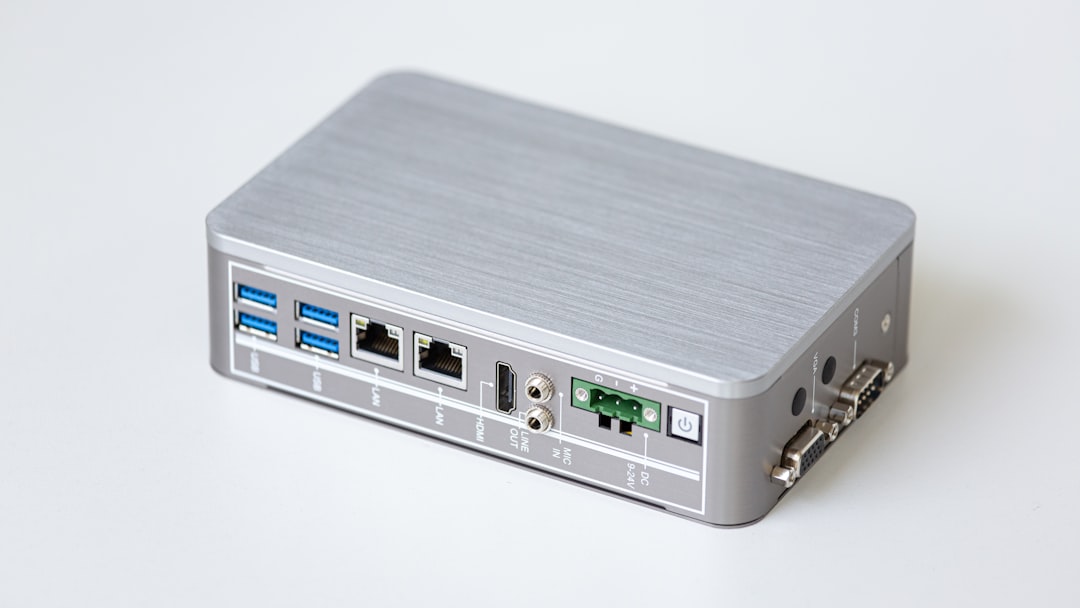
Photo by Veit Hammer on Unsplash
Documentation is the unsexy part of running a homelab. It does not show up in YouTube build tours, and it will not win you upvotes on Reddit. But when your NAS dies at 11 PM on a Friday, or when you want to rebuild your entire setup on new hardware, good documentation is the difference between a two-hour recovery and a two-day disaster.
Why Documentation Matters More Than You Think
The obvious reason to document your homelab is "so you remember things." But the real reasons run deeper.
You will forget. Even if you think the setup is simple enough to hold in your head, six months from now it will not be. The specific NFS mount options, the reason you put that service on VLAN 30 instead of VLAN 20, the manual step you had to do after every apt upgrade — these things evaporate. Future you will not thank present you for your confidence.
Disaster recovery requires it. A proper DR plan is not just "restore from backups." It is knowing what to restore, in what order, to which machine, with which configuration. If your documentation lives entirely in your head and your head is not functioning well during an incident (it will not be — incidents are stressful), you are going to make mistakes.
Other people may need to help you. Whether it is a friend helping you troubleshoot, a forum post asking for help, or — in a worst case — someone else needing to manage your setup while you cannot, documentation makes that possible. Undocumented systems are effectively unmaintainable by anyone except their original author.
It forces clarity. The act of writing down how something works often reveals that you do not fully understand how it works. That is a good thing to discover before there is a problem.
What to Document
Not everything needs a wiki page. Focus your energy on things that are genuinely hard to reconstruct.
Network Layout and IP Assignments
Document your subnet structure, VLAN assignments and their purposes, which IPs are statically assigned and to what, DHCP scopes and exclusions, and firewall rules — especially any non-obvious ones. Add a comment explaining why a rule exists, not just what it does.
This information is scattered across multiple devices (router, switch, access points, DNS server) and is miserable to piece back together when something breaks.
Hardware Inventory
For each physical machine: model, CPU, RAM, storage (drives, their sizes, their roles), network ports, and how it is connected. Include the management interface details — iDRAC IP, IPMI credentials location, iLO URL. Note any quirks: "this BIOS requires CSM enabled for the GPU to pass through correctly."
Installed Services and Their Dependencies
A service inventory covering every container, VM, and bare-metal service. For each one: which host it runs on, which port, what storage it uses, and what other services it depends on. The dependency graph is especially useful when you need to take something down for maintenance and want to know what will stop working.
Credentials and Access
Where accounts exist, how to access management interfaces, and where credentials are stored. Do not put actual passwords in your documentation — use a secrets manager like Vaultwarden or KeePass and reference it. But document the existence of credentials and where to find them, so you are not hunting for a forgotten login during an incident.
Cron Jobs and Scheduled Tasks
List every automated job: when it runs, what it does, and what would break if it stopped. These are invisible by design — which makes them easy to forget entirely.
Backup Procedures
How backups run, where they go, how to verify them, and how to restore from them. This is so important it deserves its own section, not just a bullet point in the service inventory.
Tools for Homelab Documentation
There is no universally correct answer here. The best tool is the one you will actually use.
| Tool | Hosting | Best for | Drawback |
|---|---|---|---|
| BookStack | Self-hosted | Structured wikis, teams | Requires a server/container |
| Wiki.js | Self-hosted | Modern UI, Git sync | Heavier than BookStack |
| Notion | Cloud | Quick setup, rich blocks | Not self-hosted, vendor lock-in |
| Obsidian | Local files | Personal/offline-first | No built-in sharing |
| Markdown files in Git | Anywhere | Simplicity, version history | No search UI |
BookStack: The Popular Self-Hosted Choice
BookStack is the most commonly recommended documentation tool in homelab communities, and for good reason. It organizes content in a Books → Chapters → Pages hierarchy that maps naturally to how people think about documentation. It is stable, actively maintained, and straightforward to deploy.
# docker-compose.yml for BookStack
version: "3.8"
services:
  bookstack:
    image: lscr.io/linuxserver/bookstack:latest
    container_name: bookstack
    environment:
      - PUID=1000
      - PGID=1000
      - TZ=America/Los_Angeles
      - APP_URL=https://docs.yourhomelab.local
      - DB_HOST=bookstack_db
      - DB_PORT=3306
      - DB_USER=bookstack
      - DB_PASS=changeme
      - DB_DATABASE=bookstackapp
    volumes:
      - ./bookstack_app_data:/config
    ports:
      - 6875:80
    restart: unless-stopped
    depends_on:
      - bookstack_db

  bookstack_db:
    image: lscr.io/linuxserver/mariadb:latest
    container_name: bookstack_db
    environment:
      - PUID=1000
      - PGID=1000
      - TZ=America/Los_Angeles
      - MYSQL_ROOT_PASSWORD=yourrootpassword
      - MYSQL_DATABASE=bookstackapp
      - MYSQL_USER=bookstack
      - MYSQL_PASSWORD=changeme
    volumes:
      - ./bookstack_db_data:/config
    restart: unless-stopped
Start it with docker compose up -d, wait about 30 seconds for MariaDB to initialize, then navigate to http://your-server-ip:6875. Default login is [email protected] / password — change this immediately.
BookStack supports LDAP and SAML for authentication, which is worth configuring if you have a directory service. It also has a solid search feature and a clean reading mode, which makes it genuinely pleasant to use day-to-day.
Obsidian: For the Local-First Crowd
If you want your documentation to live on your local machine as plain Markdown files — no server required, no database to maintain — Obsidian is excellent. It has a graph view that shows connections between notes, a fast full-text search, and a healthy plugin ecosystem.
The main limitation is sharing. Obsidian Sync (paid) solves the multi-device problem. If you want to share documentation with others, you are either publishing via Obsidian Publish (also paid) or doing something DIY with a Git repo.
For solo homelabbers who want something that starts in under five minutes and never breaks, Obsidian with a Git-synced vault is hard to beat.
Plain Markdown Files in Git
Do not underestimate this option. A docs/ directory in a Git repository gives you version history, diffing, and the ability to write documentation in whatever editor you prefer. If your homelab configuration is already in a Git repo (as it should be), keeping documentation right next to it makes sense.
The obvious drawback is the lack of a rendered UI and search. Running a local static site generator (Hugo, MkDocs) turns those files into a searchable web interface without much overhead.
Want more planning guides? Get guides like this in your inbox — HomeLab Starter delivers one free deep-dive every week.
Network Diagrams: Draw.io and Excalidraw
Written documentation describes your setup. A network diagram shows it.
Draw.io (diagrams.net) is the standard recommendation. It is free, has a self-hosted Docker option, exports to multiple formats, and includes a network diagram shape library with rack diagrams, switch symbols, and everything else you need.
# Self-host draw.io
docker run -d \
  --name drawio \
  -p 8080:8080 \
  jgraph/drawio
Excalidraw is better if you want something quick and informal. It produces hand-drawn-style diagrams that are fast to make and easy to read. There is a self-hosted version and also a free public instance at excalidraw.com.
For your diagram, you want at minimum: physical hosts and their roles, network connections between them, subnet/VLAN boundaries, and the internet edge (router, modem, ISP). Keep it updated when the topology changes — a diagram that does not match reality is actively misleading.
Keeping Documentation Up to Date
Documentation that is accurate on day one and wrong by month three is not much better than no documentation. The key is reducing friction.
Document as you build, not after. Open the wiki before you start a new service. Write the "why" while you remember it. Fill in the "what" as you go. Documenting after the fact requires reconstructing your reasoning, which is both slower and less accurate.
Generate what you can automatically. Network maps do not have to be maintained by hand. A quick nmap sweep can tell you what devices are on your network:
# Discover hosts and their open ports on your LAN
sudo nmap -sn 192.168.1.0/24 -oG - | grep "Up" | awk '{print $2, $3}'

# More detailed scan with OS detection
sudo nmap -A -T4 192.168.1.0/24 -oX network-scan.xml
Tools like Netdata, Prometheus node exporter, and Ntopng collect inventory information continuously. Pulling from these sources into your documentation keeps the "what is running where" section current without manual effort.
Review on a schedule. Set a recurring reminder — monthly or quarterly — to open your documentation and check that it still matches reality. Pay particular attention to anything you changed recently. A five-minute review every month catches drift before it becomes a problem.
Disaster Recovery Checklist Template
Keep a short, executable DR checklist somewhere easy to find — not buried three levels deep in your wiki. Here is a starting template:
# Homelab Disaster Recovery Checklist

## Immediate (first 15 minutes)
- [ ] Identify what failed (hardware, software, data?)
- [ ] Check for recent changes (git log, update history)
- [ ] Verify backup integrity before touching anything

## Recovery by type
### Server hardware failure
- [ ] Locate replacement or spare parts
- [ ] Boot from rescue USB if needed
- [ ] Restore OS from cloud-init / kickstart / ansible playbook
- [ ] Mount backup storage and verify access
- [ ] Restore services in dependency order (DNS first, then databases, then apps)

### Data loss / corruption
- [ ] Stop writes to affected volume immediately
- [ ] Identify last known good backup timestamp
- [ ] Restore to separate location first — verify before overwriting
- [ ] Document what was lost and why

### Network/connectivity failure
- [ ] Physical check: cables, switch lights, router status
- [ ] Check DNS (can you resolve local names?)
- [ ] Check DHCP leases
- [ ] Check firewall rules for unintended blocks

## Post-recovery
- [ ] Document what happened and why
- [ ] Update monitoring to detect this failure earlier next time
- [ ] Review and update DR plan if any step was wrong or missing
Copy this into your documentation system and customize it for your specific setup. The value is in having something to follow when you are stressed — not in having the perfect document.
Trade-offs and Tips
A few things worth knowing before you invest heavily in a documentation system:
Start small and get it used, then expand. A bookstack instance with five pages that you actually maintain is better than a beautiful, comprehensive wiki that is six months out of date.
Separate operational from reference documentation. "How to restore Vaultwarden from backup" is a procedure — it should be a step-by-step checklist. "What Vaultwarden is and how it's configured" is reference — a description. Mixing them makes both worse.
Back up your documentation. BookStack has a backup feature. Use it, and test it. Your documentation is as important as your data — maybe more, since it helps you recover everything else.
Do not let perfect be the enemy of good. An incomplete network diagram that covers 80% of your setup is genuinely useful. Waiting until you have time to document everything perfectly means documenting nothing.